OpenUSD Loading
RaiSim loads OpenUSD files directly through the bundled OpenUSD runtime. OpenUSD support is part of supported RaiSim packages and source builds; it is not an optional Assimp importer path and there is no CMake switch to build RaiSim without it.
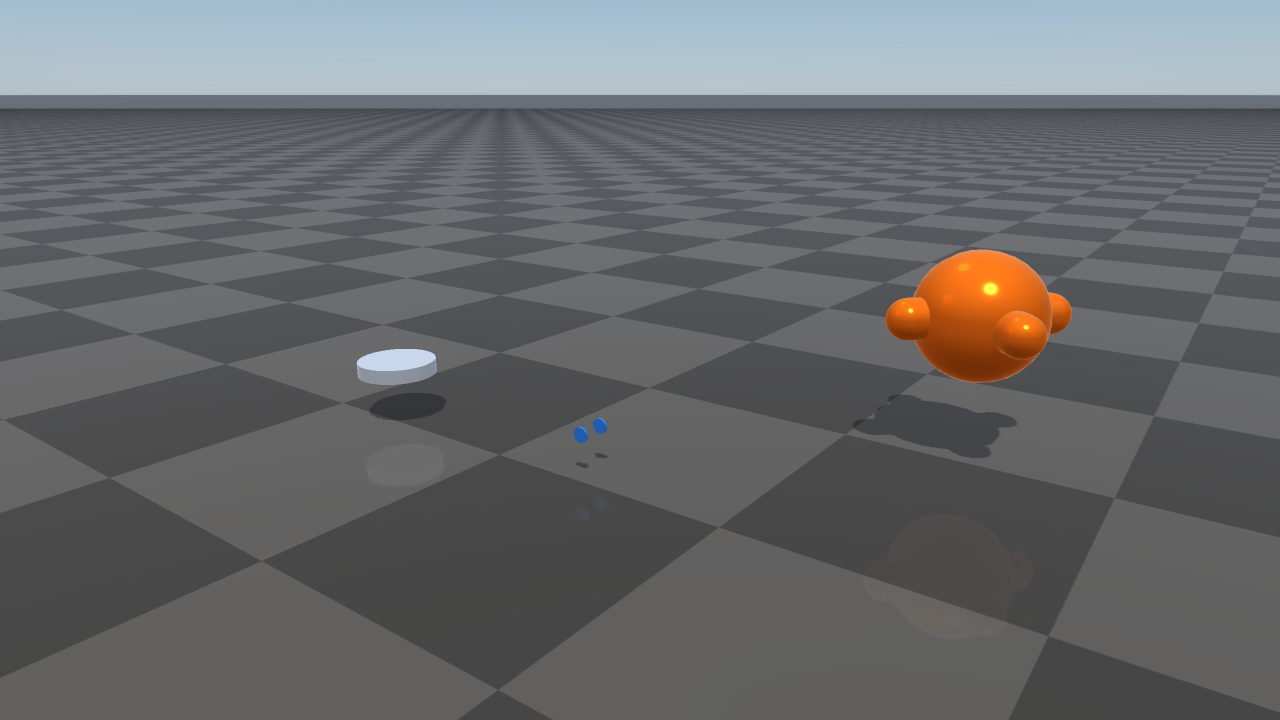
Collision bodies from Isaac Sim robot USD assets imported as RaiSim articulated systems.
Instantiating a World From USD
The recommended way to create a raisim::World from a USD asset is to pass
the USD file to the constructor. The constructor inspects the file’s extension
(case-insensitive) and, when it is .usd, .usda, .usdc, or
.usdz, calls World::addUsdArticulatedSystem to build the articulation’s
bodies, joints, and collision shapes in a single call:
#include <raisim/World.hpp>

raisim::World world("scene.usd");   // <-- recommended default

// The world now contains the articulated system defined in scene.usd,
// with its collision shapes. Add a ground, set the time step, attach
// controllers, and start stepping as usual.
world.addGround();
world.setTimeStep(0.0025);
The constructor imports exactly one articulation: the default prim if it has
PhysicsArticulationRootAPI, otherwise the first such prim in the stage.
It throws std::runtime_error if the file has none. Rigid bodies outside that
articulation’s subtree are not imported. To place several USD robots in one
world, create the world first and call World::addUsdArticulatedSystem once
per file, as the nvidia_usd_robots example does.
USD lets you author robots with public tools such as Isaac Sim, Omniverse, and Blender’s USD exporter. Prefer it over hand-written XML when the asset is authored by such a tool or exchanged with other USD-based pipelines.
The same constructor still accepts a RaiSim .xml world configuration
file, a MuJoCo MJCF file, or, from v2.8.0, a
.rscene file (see .rscene File). The
extension selects the USD and .rscene loaders; for other files, the
content (a <raisim> or <mujoco> element) selects the loader. XML stays
available for hand-edited and template-driven worlds.
raisim::World usdWorld("scene.usd");           // USD articulation loader
raisim::World xmlWorld("scene.xml");           // RaiSim XML loader
raisim::World mjcWorld("scene.mjcf");          // MuJoCo MJCF loader
raisim::World emptyWorld;                      // empty world, build it
                                               // up programmatically
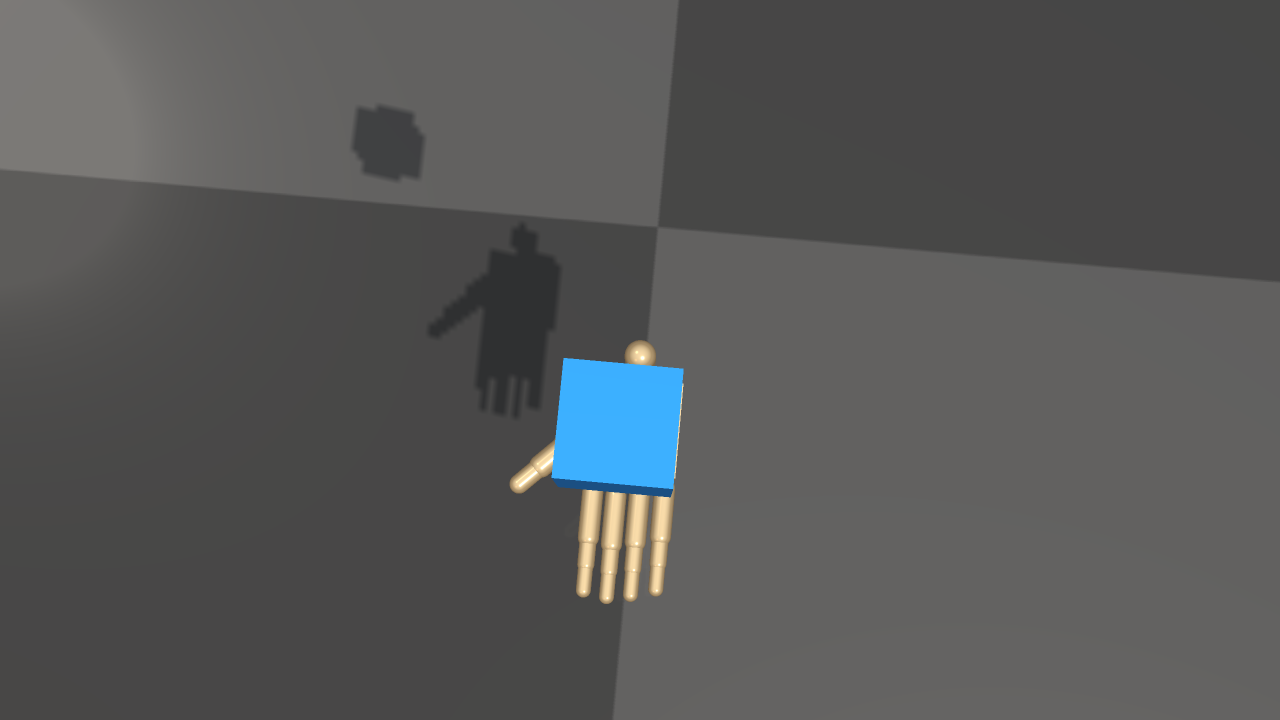
World(shadow_hand.usd) imports the ShadowHand physical geometry; the
cube is a native RaiSim rigid body.
What is imported from a USD scene
The USD constructor (and World::addUsdArticulatedSystem) reads:
UsdPhysicsRigidBodyAPIbodies inside the articulation as links, with theirUsdPhysicsMassAPIproperties and initial velocities. Kinematic rigid bodies are rejected.PhysicsFixedJoint,PhysicsRevoluteJoint,PhysicsPrismaticJoint, andPhysicsSphericalJointrelationships between bodies, including joint limits, assembled into one articulated system.Closed kinematic loops. A joint with
physics:excludeFromArticulation = truecloses a loop, and so does any additional joint into a body that already has its tree joint (the first joint into a body, in stage order, joins the tree). Loop joints become constraints at the authored pose (see Closed-Loop Systems): a revolute joint becomes two pins 10 cm apart on its axis, a spherical joint a pin at its anchor, and a fixed joint three pins. The two bodies of a loop joint do not collide with each other. Loading fails withstd::runtime_errorfor a loop joint that cannot be represented this way: a prismatic loop joint, a loop joint with a drive, or a loop joint to the world on a floating-base articulation. Angle limits of a revolute loop joint are not enforced, and a warning says so.UsdPhysicsDriveAPIstiffness, damping, and target position as the joint’s passive spring, damping, and spring rest position; the drive’s maximum force becomes the joint effort limit. PhysX joint friction, damping, and armature attributes are also read.Primitive collision shapes — cube, sphere, capsule, cylinder — and triangle-mesh collision shapes via
UsdGeomMesh.Per-body and per-link transforms, converted to meters and a z-up frame from the stage’s
metersPerUnitand up axis.Physics material friction and restitution (as material pair properties), filtered collision pairs, and the gravity of the stage’s physics scene.
The constructor does not import PhysX tendons, variant switching, skeletons, lights, or full material graphs. For high-fidelity rendering materials, pair USD physics import with the Rayrai visual pipeline, or keep a separate render-quality USD/glTF alongside the physics USD.
Loading USD as Mesh Geometry
The mesh loader also accepts .usd, .usda, .usdc, and .usdz
files wherever a RaiSim mesh path is accepted, for individual single-body
mesh objects rather than whole scenes:
raisim::World world;
auto* mesh = world.addMesh("asset.usd",
                           1.0,
                           1.0,
                           "default",
                           raisim::MeshCollisionMode::ORIGINAL_MESH);
The same OpenUSD-backed path is used by raisim::Mesh::loadMesh and
raisim::Mesh::preprocessMesh. Use preprocessMesh when you want a
deterministic triangulated OBJ cache that can be reused by later runs.
Runtime requirements
Installed packages include the OpenUSD runtime next to RaiSim:
On Linux and macOS, the runtime is installed under
raisim/lib/openusdand the package environment script adds the required library path.On Windows, the USD DLLs are installed next to the RaiSim binaries and the plugin resources are under
raisim/bin/openusd.
Keep the bin, lib, openusd, and rsc directories together when
copying an installed package. If you build from source, the bundled prebuilt
OpenUSD tree must exist under prebuilt/openusd/<platform>; CMake fails at
configure time if the required OpenUSD headers or libraries are missing.
Mesh Import Semantics
When USD is loaded as a mesh asset (via addMesh or Mesh::loadMesh),
RaiSim treats it as triangle-mesh geometry:
The loader opens the file as a
UsdStageand traversesUsdGeomMeshprims.Parent transforms are applied to each mesh before vertices are added.
Polygon faces are triangulated, and left-handed USD mesh winding is reversed.
Multiple mesh prims in one USD file are merged into one RaiSim mesh object.
For high-detail render assets, keep a separate simplified collision mesh or
use MeshCollisionMode::CONVEX_HULL / MeshCollisionMode::CONVEXIFY
when appropriate.
Examples
shadow_hand_usd_cube loads
rsc/isaac/Robots/ShadowRobot/ShadowHand/shadow_hand.usd through
World(shadow_hand.usd) and publishes the scene through RaisimServer.
Start the TCP viewer, then run the example in another terminal:
./build-examples/examples/rayrai_tcp_viewer
./build-examples/examples/shadow_hand_usd_cube
nvidia_usd_robots adds three Isaac Sim robots (iRobot Create 3, AWS
RoboMaker JetBot, and the Isaac Sim Ant) to one world with
World::addUsdArticulatedSystem:
./build-examples/examples/nvidia_usd_robots
On Windows, the executables are under build-examples\bin (for example,
build-examples\bin\shadow_hand_usd_cube.exe).
rayrai can also load USD files as visual-only meshes through
RayraiWindow::addVisualMesh. This is useful for inspection, but the same
scope applies: geometry, transforms, and basic display color/opacity, not full
USD scene semantics.
Troubleshooting
If a USD asset fails to load:
Verify that the asset path exists and that the package
rscdirectory was copied with the binaries.Run the package environment script before launching examples from outside the installed
bindirectory.On Windows, make sure the USD DLLs are beside the executable and
bin/openusdis still present.If source configuration fails, regenerate or restore the matching bundled OpenUSD prebuilt runtime for your platform.