Post-process effects
This page covers cinematic and screen-space effects driven by
RenderQualitySettings — DoF, lens flares, vignette, motion blur, SSR,
SSAO, SSIL, contact shadows, refraction, bloom, temporal AA, linear HDR
output, and stylized looks plus the debug visualisation passes.
WeatherSettings overrides atmospheric state (fog, wetness, sky) and is
documented in Weather and atmospherics. HDR/IBL environments and PBR materials live in
Lighting, shadows, and HDR/IBL and PBR materials. Many effects are not available on
macOS; see Platform notes below.
Cinematic post-process effects
RenderQualitySettings exposes a large set of optional screen-space effects.
Each one is off by default, behind an *Enabled flag or a zero strength, so
the fast frame path stays cheap; turn them on per shot for screenshots, asset
inspection, or demo captures.
Cinematic lens and image effects:
viewerVignetteStrength— radial darkening.viewerChromaticAberrationStrength— RGB channel offset.viewerFilmGrainStrength— luma-noise overlay.lensFlareGhostStrength,lensFlareStreakStrength,lensFlareTint— lens-flare ghosts and a horizontal streak from bright pixels.lensDistortionEnabled/lensDistortionStrength/lensDistortionCenter— signed barrel or pincushion distortion.letterboxEnabled/letterboxAspect/letterboxColor— cinematic letterboxing.starburstEnabled/starburstStrength/starburstSpikes/starburstAngleOffset/starburstRadius/starburstTint— diffraction spikes around the sun’s screen position.zoomBlurEnabled/zoomBlurStrength/zoomBlurCenter/zoomBlurInnerRadius— radial focus blur for sprint and dash effects.motionBlurEnabled/motionBlurDirection/motionBlurStrength— directional motion blur.depthOfFieldEnabled/depthOfFieldFocusDistance/depthOfFieldFocusRange/depthOfFieldMaxRadius.
Stylized and diagnostic looks:
pixelateEnabled/pixelateBlockSize— retro pixelation.posterizeEnabled/posterizeLevels— color quantization.scanlineEnabled/scanlineStrength/scanlineFrequency— CRT-style scanlines.nightVisionEnabled/nightVisionStrength/nightVisionGain— monochrome green amplification.thermalEnabled/thermalStrength/thermalGain— heatmap LUT.ditherEnabled/ditherStrength— banding-control dither.
Atmospheric and water effects:
underwaterEnabled/underwaterTint/underwaterCausticStrength/underwaterCausticScale/underwaterDepthExtinction.heatHazeEnabled/heatHazeStrength/heatHazeFrequency/heatHazeSpeed/heatHazeMaxY.lightShaftsEnabled/lightShaftsStrength/lightShaftsDecay/lightShaftsDensity— god rays from the main light.
Screen-space reflections and refraction:
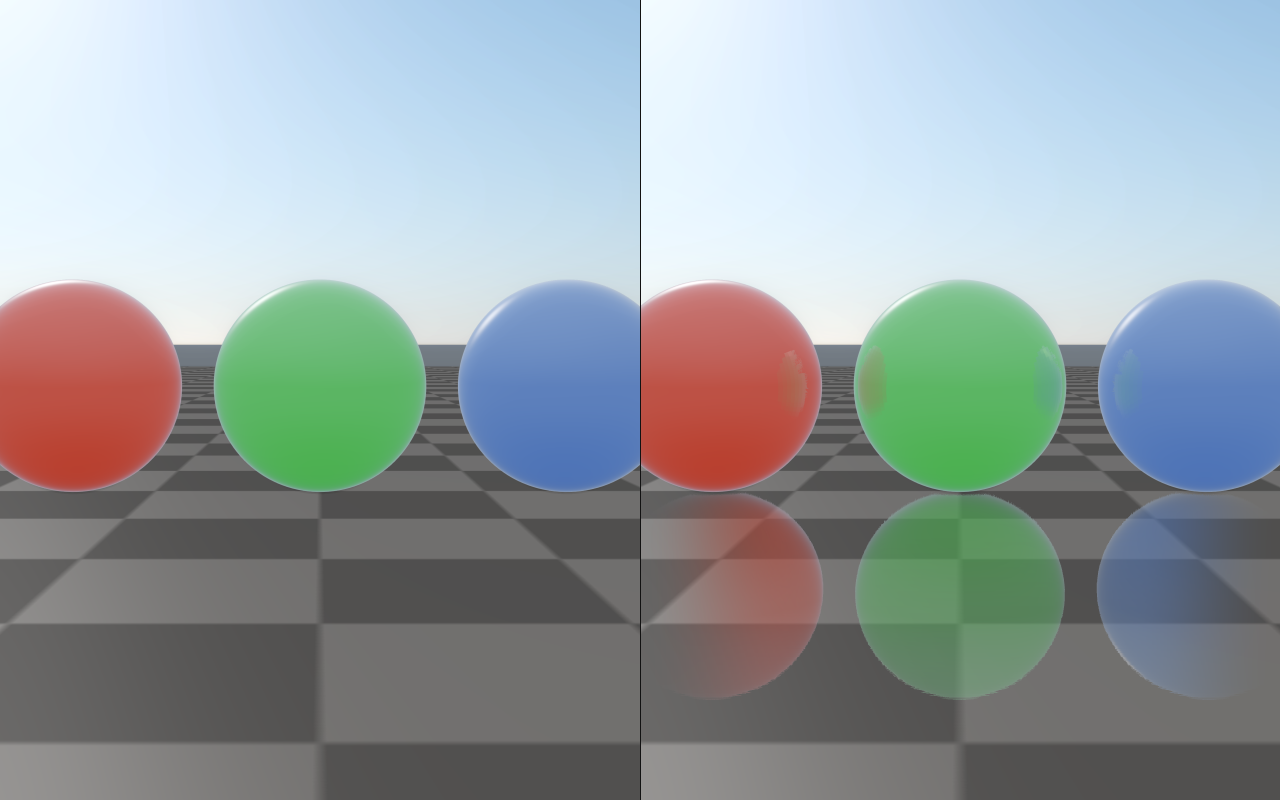
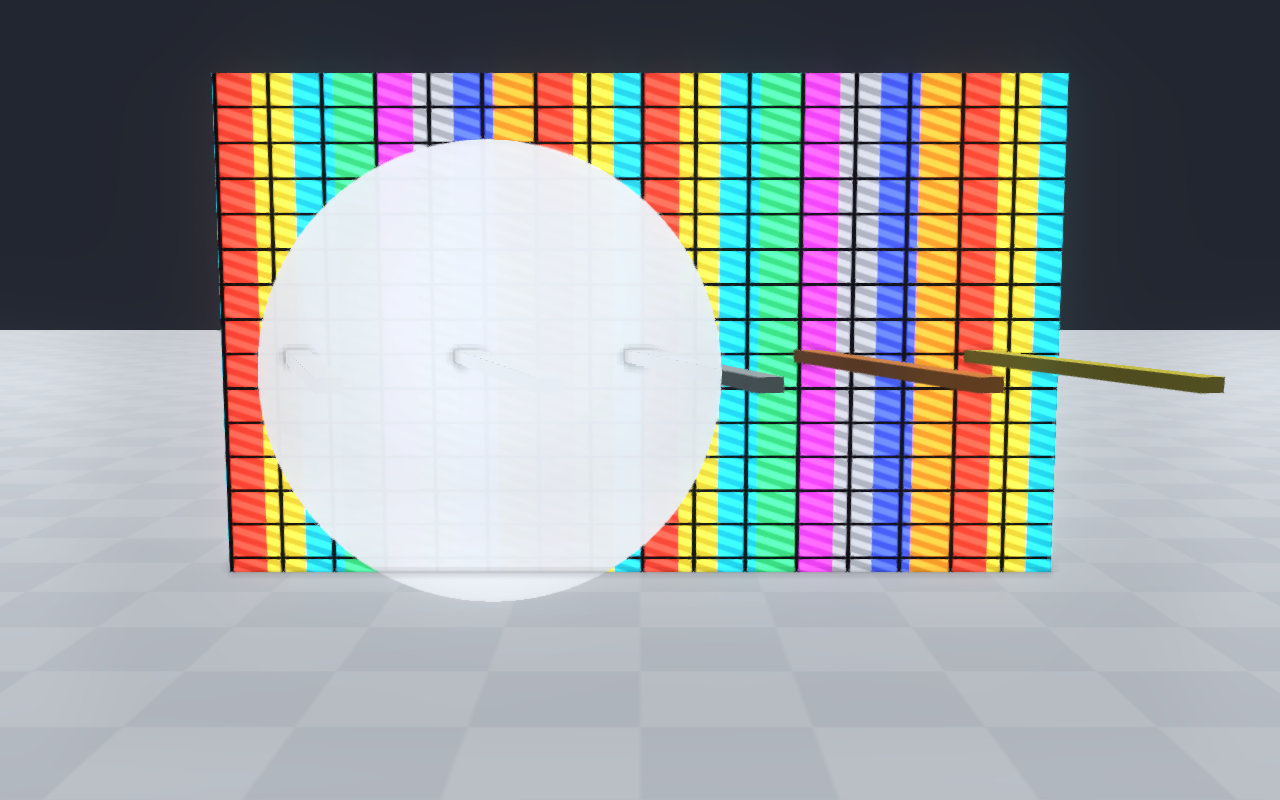
ssrEnabled,ssrStrength,ssrSteps,ssrMaxDistance,ssrThickness— depth-only screen-space reflections.screenSpaceRefraction,screenSpaceRefractionStrength,screenSpaceRefractionMaxPixels— refraction of the opaque scene through transmissive (glass) materials. It requireshighFidelityPbrand resolves MSAA before sampling; rough glass reads a blurred copy of the scene.StrengthandMaxPixelsonly scale the artistic screen-space offset. Other transparent layers and exit faces are not traced; see PBR materials for glass materials and thegeometryRefractiontracer.
Indirect lighting and contact effects:
screenSpaceAoEnabled,screenSpaceAoRadius,screenSpaceAoStrength,screenSpaceAoBias,screenSpaceAoSamples,screenSpaceAoFalloff,screenSpaceAoRadiusWorldSpace,screenSpaceAoMaxPixelRadius,screenSpaceAoGeometryAware— SSAO controls.screenSpaceAoDenoiseEnabled,screenSpaceAoDenoiseStrength,screenSpaceAoDenoiseRadius,screenSpaceAoDenoiseDepthSigma— geometry-aware AO denoise.contactShadowsEnabled,contactShadowsLength,contactShadowsStrength,contactShadowsThickness— short-range raymarched contact shadows.contactAoRadius/contactAoStrength/contactAoSamples/contactAoFalloff— tight contact AO on top of SSAO.screenSpaceIndirectLightingEnabledand friends (screenSpaceIndirectLightingRadius,Strength,Samples,Falloff,NormalRejection,Saturation) — single-bounce SSIL.
Specular AA, aerial perspective, and detail normals:
specularAntiAliasing/specularAntiAliasingStrength— geometry-aware specular filtering on high-frequency surfaces.aerialPerspectiveEnabled/aerialPerspectiveStrength— distance-based atmospheric tinting driven by the sky LUTs.detailNormalEnabled/detailNormalScale/detailNormalStrength— high-frequency normal detail for close-up shots.viewerSubsurfaceWrap/viewerSubsurfaceTint— wrap-light approximation for soft subsurface response on skin and foliage.
Bloom controls (bloomEnabled, bloomThreshold, bloomStrength,
bloomRadius, bloomKnee, bloomQuality, bloomSourceClamp,
bloomAnamorphic, bloomDirtStrength, bloomDirtScale,
bloomDirtTexture) cover both clean and lens-dirt looks.
bloomBlendMode (GlowBlendMode) sets how the glow is composited:
Additive (default), Screen, Softlight, Replace (glow only), or
Mix, which scales the scene by 1 - bloomMix before adding the glow. In
the default pipeline, materials are already tone-mapped and gamma-encoded when
bloom runs; with Linear HDR rendering bloomThreshold is compared against
scene-linear radiance.
Diagnostics: PostProcessDebugMode (Final, BloomSource,
AmbientOcclusion, AmbientOcclusionRaw, FogTransmittance,
FogDensity, FogScattering, WorldNormal, DepthHeatmap,
ScreenSpaceIndirectLighting) routes a debug pass to the final image so the
underlying buffers can be inspected without leaving the normal render path.
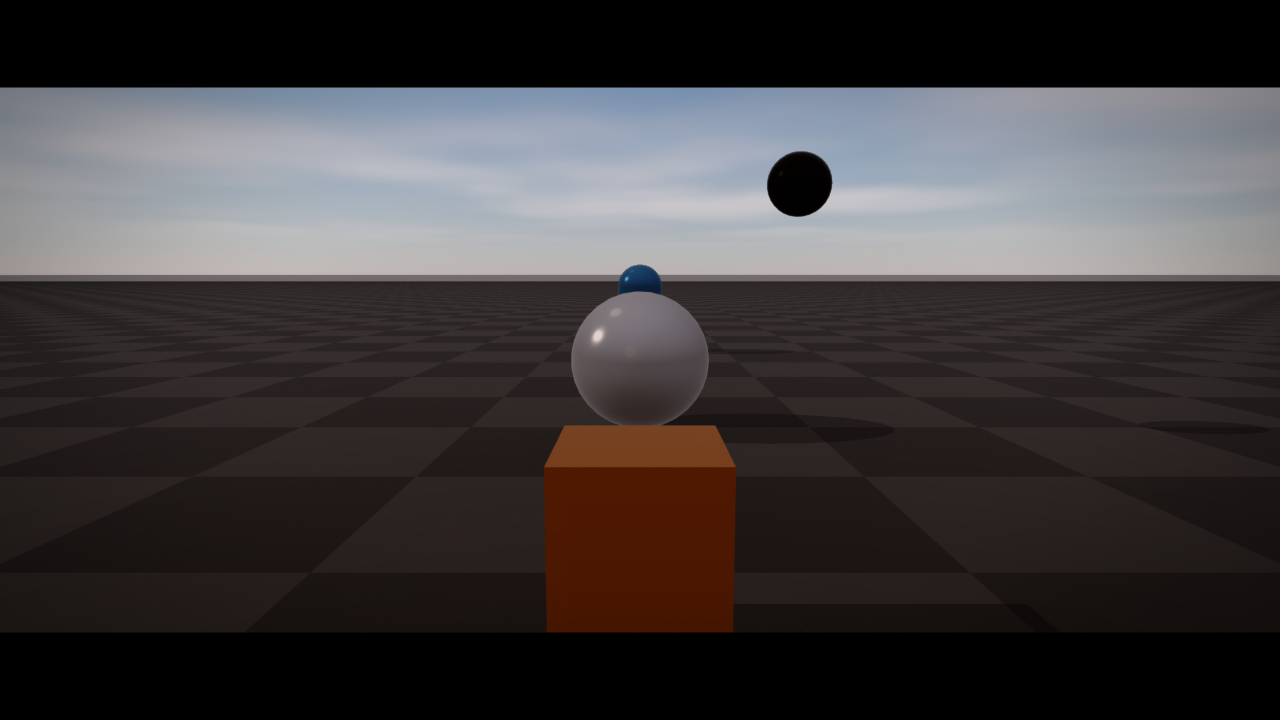
A full cinematic frame typically enables several of these together. The snippet below pairs bloom + DoF + vignette + chromatic aberration + film grain + lens flare + a slight letterbox for a film-shot look:
auto quality = raisin::RayraiWindow::defaultRenderQualitySettings(
  raisin::RayraiWindow::RenderQualityPreset::Ultra);

quality.colorMode = raisin::ViewerColorMode::AcesApprox;
quality.pbrToneMapping = true;
quality.viewerColorGradePreset = raisin::ColorGradePreset::Cinematic;

quality.bloomEnabled = true;
quality.bloomThreshold = 1.10f;
quality.bloomStrength = 0.22f;

quality.depthOfFieldEnabled = true;
quality.depthOfFieldFocusDistance = 5.0f;
quality.depthOfFieldFocusRange = 1.5f;
quality.depthOfFieldMaxRadius = 1.4f;

quality.viewerVignetteStrength = 0.40f;
quality.viewerChromaticAberrationStrength = 0.08f;
quality.viewerFilmGrainStrength = 0.05f;

quality.lensFlareGhostStrength = 0.45f;
quality.lensFlareStreakStrength = 0.30f;
quality.lensFlareTint = glm::vec3(0.55f, 0.78f, 1.10f);

quality.letterboxEnabled = true;
quality.letterboxAspect = 2.35f;

viewer.setRenderQualitySettings(quality);
For inspection, route a debug mode to the final image:
auto q = viewer.getRenderQualitySettings();
q.postProcessDebugMode = raisin::PostProcessDebugMode::AmbientOcclusion;
viewer.setRenderQualitySettings(q);
Screen-space reflections, AO, and indirect lighting
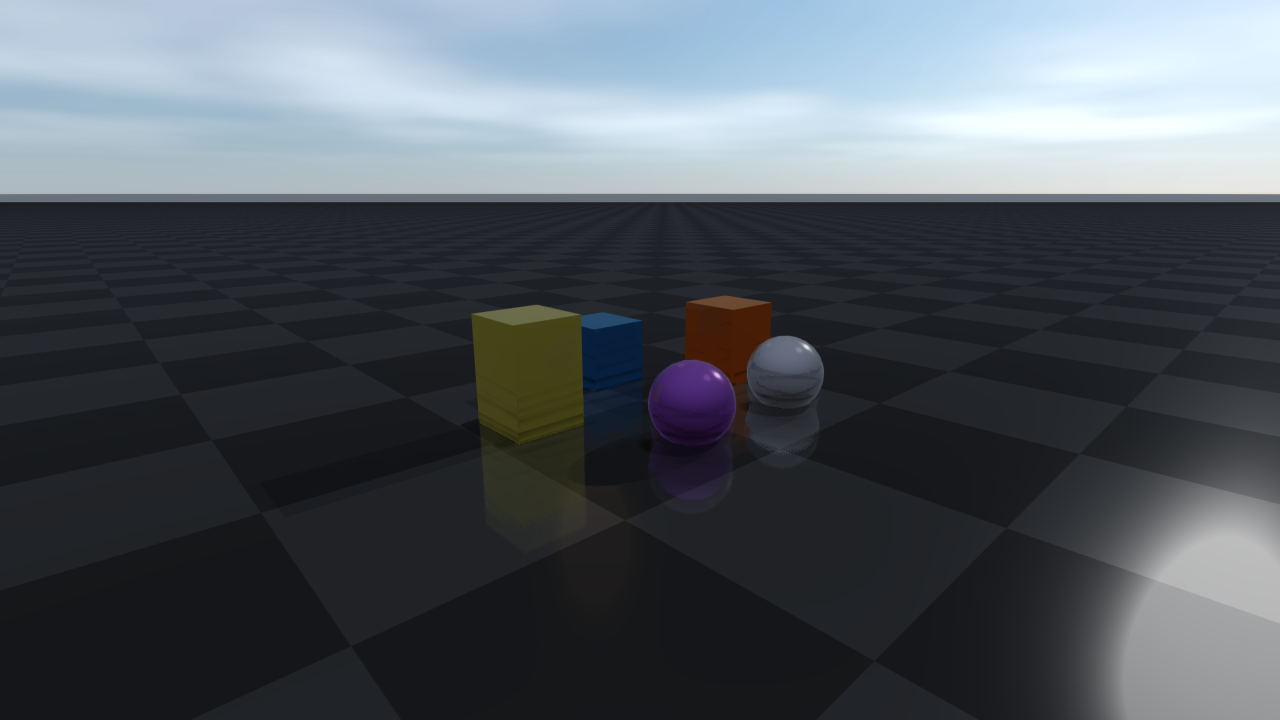
Screen-space reflections (ssrEnabled) march the depth buffer along each
reflected ray and sample the colour buffer at the first hit. The result is a
cheap, depth-only approximation that captures puddle reflections, glossy
floors, and glass-like mirror surfaces without authoring a reflection probe.
Tune the trade-off with ssrStrength, ssrSteps, ssrMaxDistance, and
ssrThickness.
Screen-space ambient occlusion (screenSpaceAoEnabled) darkens crevices,
corners, and tight contacts using screenSpaceAoRadius (with
screenSpaceAoRadiusWorldSpace to switch from pixel to metres),
screenSpaceAoSamples, screenSpaceAoFalloff, and
screenSpaceAoStrength. The denoise pass
(screenSpaceAoDenoiseEnabled) is geometry-aware and preserves edges.
contactAoRadius / contactAoStrength add a separate tight contact-AO
pass on top of SSAO for surfaces that touch.
With the denoiser on, AO is computed once per pixel in a prepass and the denoiser reuses it; results can differ from per-tap evaluation by a few 8-bit levels at silhouettes. The prepass works with and without temporal AA: it keeps the AO in the alpha channel of the temporal history target, whose color the temporal AA reads from RGB. AO is stable from frame to frame at sky silhouettes, including on Apple GPUs.
Screen-space indirect lighting (screenSpaceIndirectLightingEnabled)
gathers one bounce of light from the colour buffer around each pixel to add
coloured fill light from nearby diffuse surfaces; Radius, Strength,
Samples, Falloff, NormalRejection, and Saturation control
quality and bias.
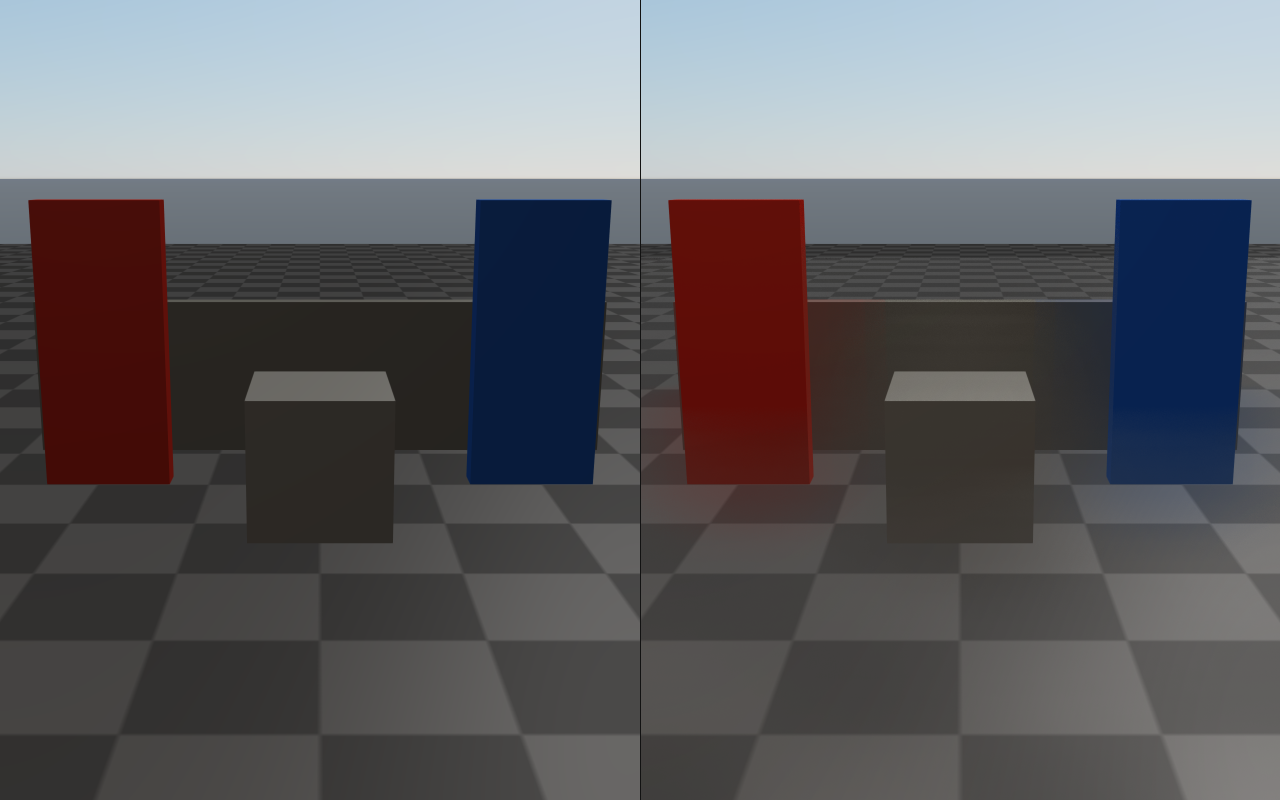
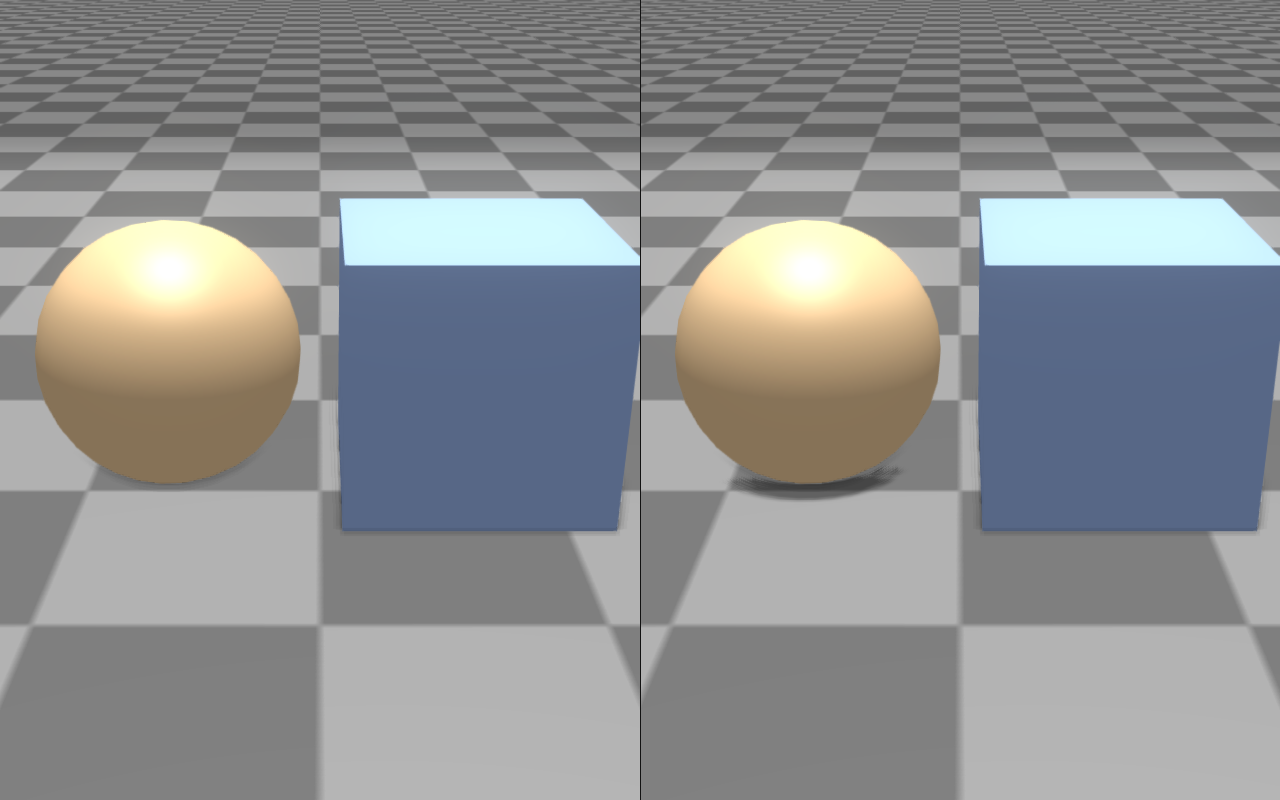
Contact shadows (contactShadowsEnabled) ray-march short shadow rays toward
the main light in screen space to recover fine occlusion near grazing geometry
that a shadow map misses. Length (at most 0.5) and Thickness are in
metres; Strength is the darkening, 0–1. Each pixel blurs nine rays: one
from its centre, two 1.5 pixels away along each axis and four 3.5 pixels away
along the diagonals, so neighbouring pixels share most of them. A pass of its
own, with a program that holds only that effect, marches each shared ray once
(four rays per pixel instead of nine) into a single-channel float texture at
twice the image’s resolution (about 33 MB at 1920×1080), and the post program
filters every pixel from it. When projected decals use every texture slot of
the post program, the post program marches all nine rays itself; both give the
same image.
auto quality = raisin::RayraiWindow::defaultRenderQualitySettings(
  raisin::RayraiWindow::RenderQualityPreset::High);

// Screen-space reflections.
quality.ssrEnabled = true;
quality.ssrStrength = 0.85f;
quality.ssrSteps = 32;
quality.ssrMaxDistance = 8.0f;
quality.ssrThickness = 0.35f;

// SSAO with denoise.
quality.screenSpaceAoEnabled = true;
quality.screenSpaceAoRadius = 1.5f;
quality.screenSpaceAoStrength = 0.65f;
quality.screenSpaceAoSamples = 16;
quality.screenSpaceAoRadiusWorldSpace = true;  // radius is metres
quality.screenSpaceAoDenoiseEnabled = true;
quality.screenSpaceAoDenoiseStrength = 0.75f;

// Tight contact AO on top of SSAO.
quality.contactAoRadius = 0.04f;
quality.contactAoStrength = 0.55f;

// Single-bounce screen-space indirect lighting.
quality.screenSpaceIndirectLightingEnabled = true;
quality.screenSpaceIndirectLightingStrength = 0.45f;
quality.screenSpaceIndirectLightingSamples = 12;

// Short raymarched contact shadows that recover fine creases.
quality.contactShadowsEnabled = true;
quality.contactShadowsLength = 0.18f;
quality.contactShadowsStrength = 0.7f;
quality.contactShadowsThickness = 0.06f;

viewer.setRenderQualitySettings(quality);
Screen-space reflections (SSR) |
Screen-space indirect lighting (SSIL) |
|---|---|
|
|
Contact shadows |
Screen-space refraction |
|
|
Depth of field, lens flares, and lens character
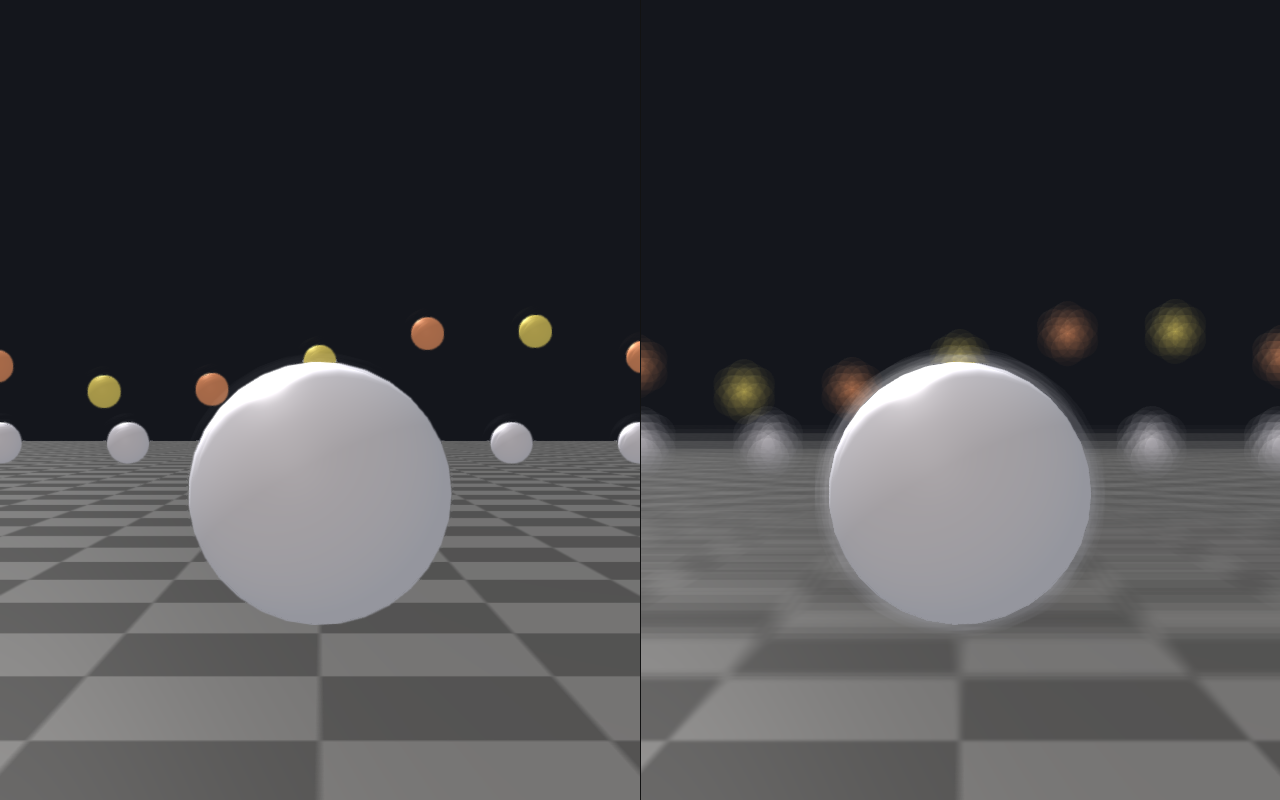
Depth of field (depthOfFieldEnabled, depthOfFieldFocusDistance,
depthOfFieldFocusRange, depthOfFieldMaxRadius) uses a hex-bokeh disk
and a depth-driven circle-of-confusion sample. The hex shape is intentionally
cinematic. Pixels inside depthOfFieldFocusRange around the focus distance
stay sharp; the blur grows with distance from that band up to
depthOfFieldMaxRadius pixels. starburstEnabled adds aperture-style
diffraction spikes around the sun’s screen position.
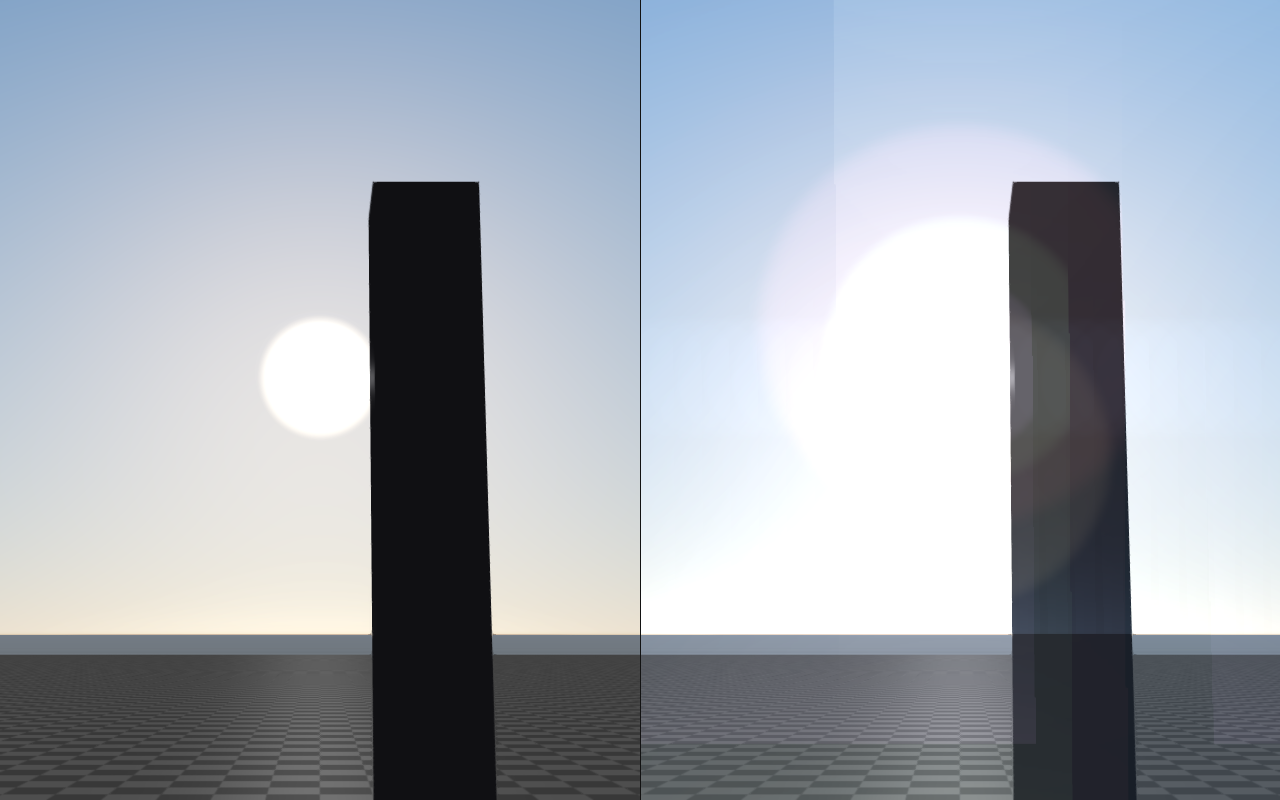
Lens flare uses two layers: ghost reflections projected toward the screen
centre (lensFlareGhostStrength) and a horizontal (anamorphic) streak through
very bright pixels (lensFlareStreakStrength). Both share lensFlareTint
(a cool cinematic blue by default).
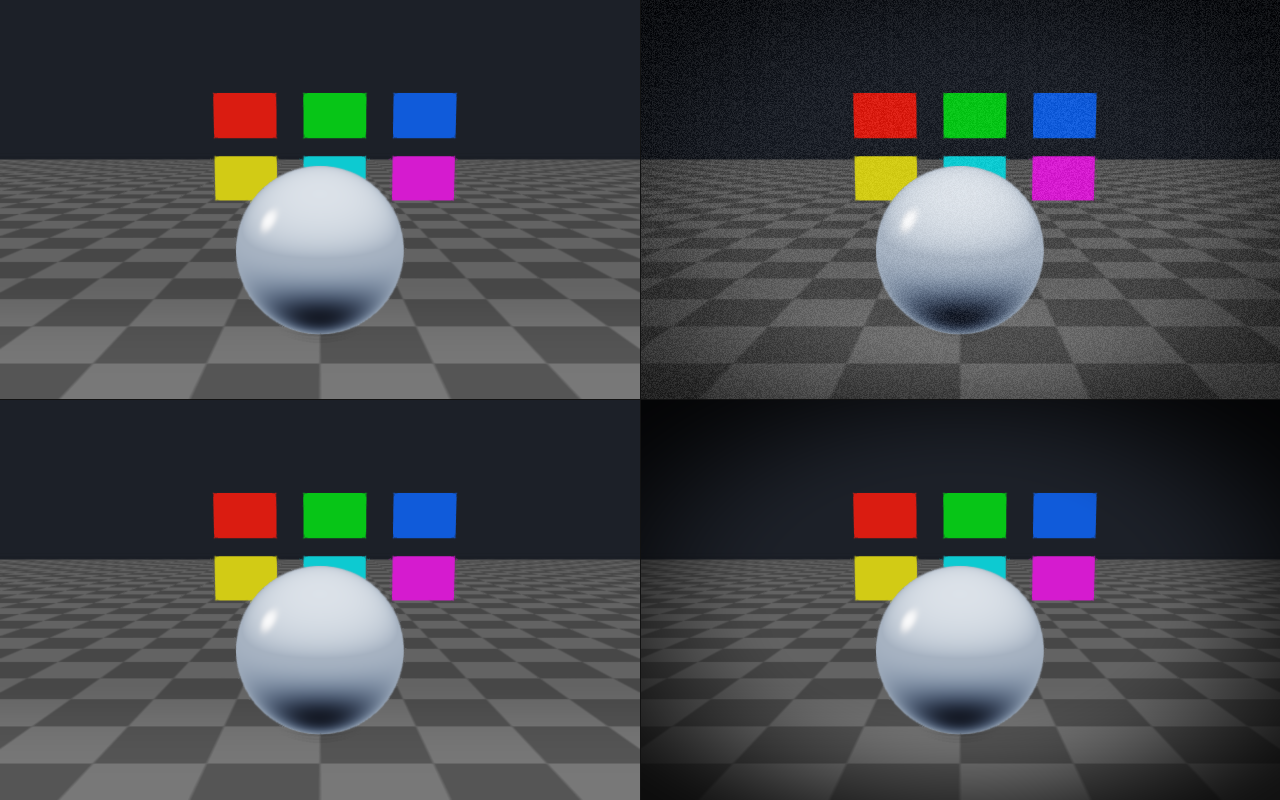
viewerVignetteStrength, viewerChromaticAberrationStrength, and
viewerFilmGrainStrength add the rest of the standard photographic camera
character. lensDistortionEnabled applies signed barrel / pincushion
distortion centred at lensDistortionCenter.
auto quality = viewer.getRenderQualitySettings();

// Depth of field with cinematic hex bokeh.
quality.depthOfFieldEnabled = true;
quality.depthOfFieldFocusDistance = 4.5f;   // metres
quality.depthOfFieldFocusRange = 1.8f;      // metres of in-focus band
quality.depthOfFieldMaxRadius = 1.6f;       // pixels at far blur

// Diffraction spikes around the sun.
quality.starburstEnabled = true;
quality.starburstStrength = 0.6f;
quality.starburstSpikes = 6;

// Lens flare (ghosts and axial streak).
quality.lensFlareGhostStrength = 0.55f;
quality.lensFlareStreakStrength = 0.35f;
quality.lensFlareTint = glm::vec3(0.62f, 0.78f, 1.10f);  // cool cinematic

// Camera character.
quality.viewerVignetteStrength = 0.35f;
quality.viewerChromaticAberrationStrength = 0.08f;
quality.viewerFilmGrainStrength = 0.04f;

// Optional barrel distortion.
quality.lensDistortionEnabled = true;
quality.lensDistortionStrength = 0.12f;     // > 0 = barrel, < 0 = pincushion

viewer.setRenderQualitySettings(quality);
Depth of field |
Hex bokeh detail |
|---|---|
|
|
Lens flare |
Lens character (vignette + grain + CA) |
|
|
Motion blur and atmospheric effects
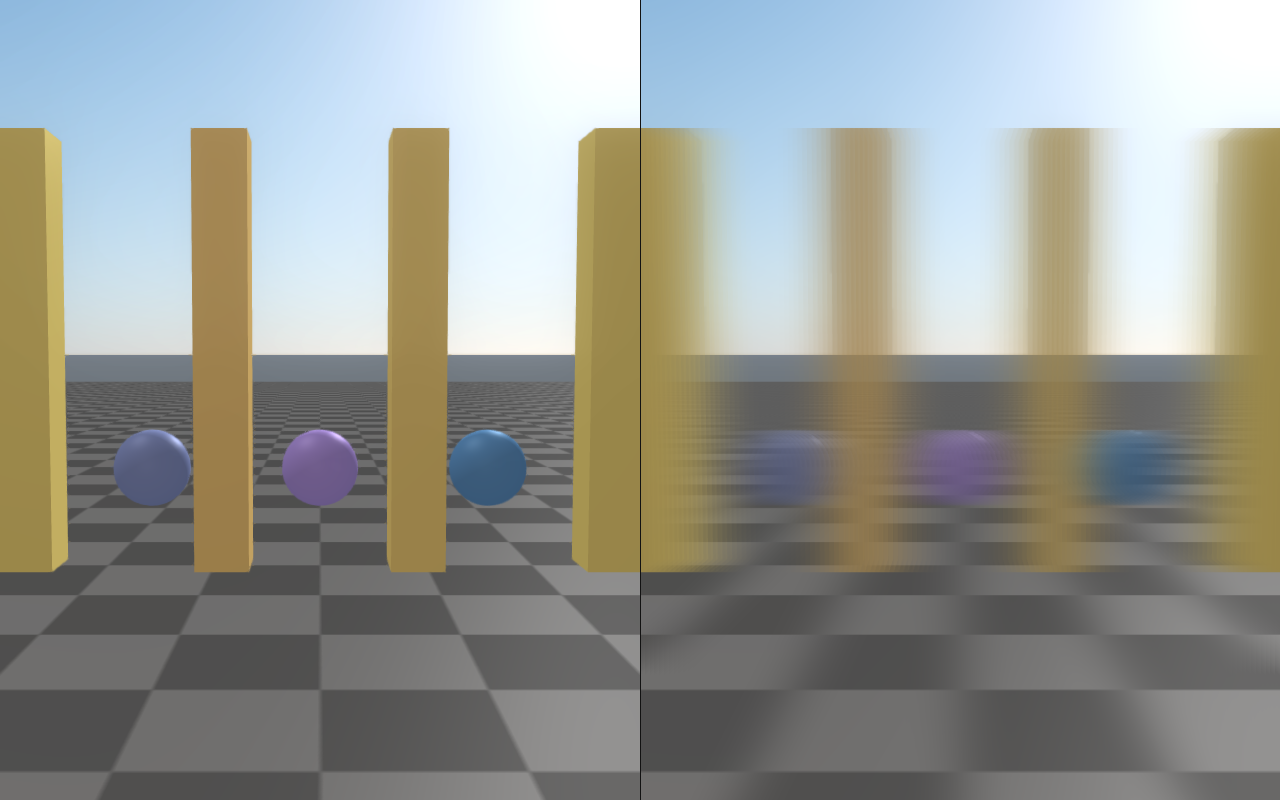
Directional motion blur (motionBlurEnabled, motionBlurDirection,
motionBlurStrength) smears the colour buffer along a constant screen-space
vector: motionBlurDirection is the blur vector in screen-UV units, scaled by
motionBlurStrength (0–1). It models camera motion only; there is no
per-object velocity buffer. Useful for shutter-style captures and stylized
motion frames.
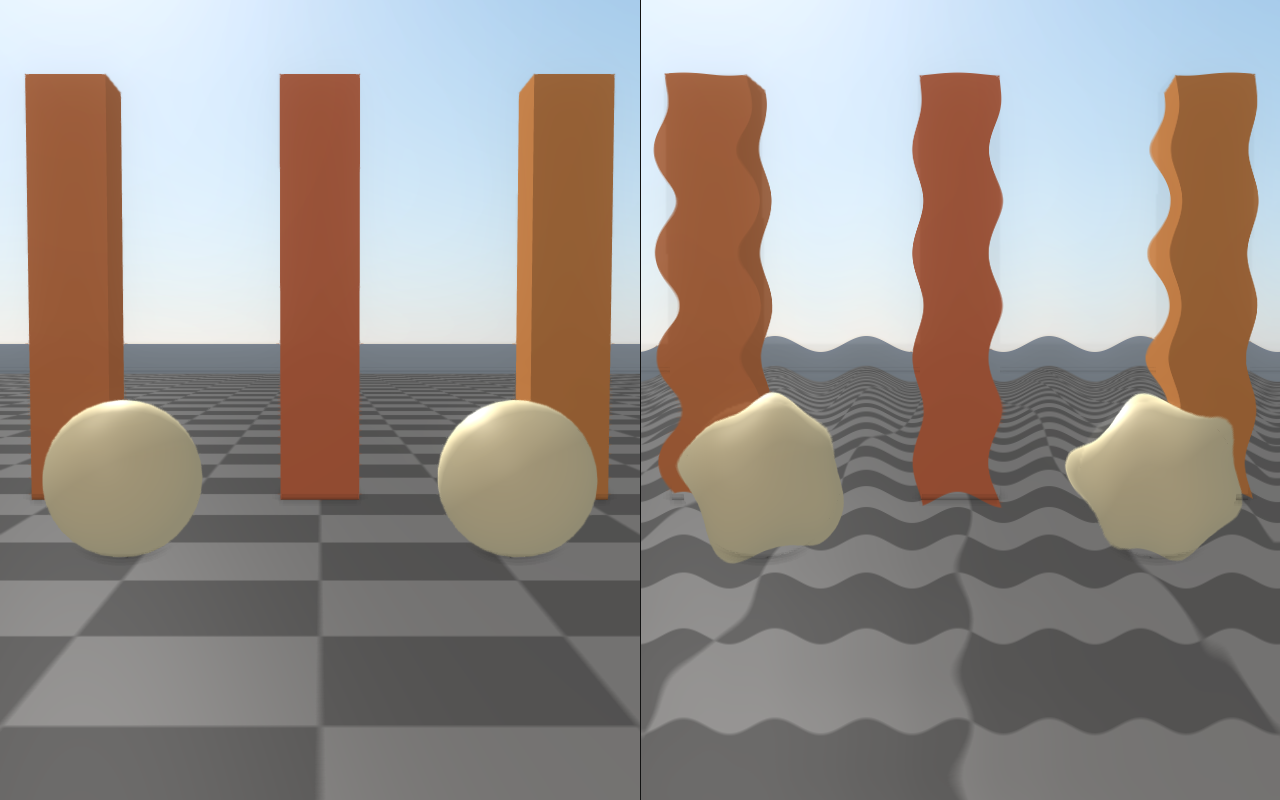
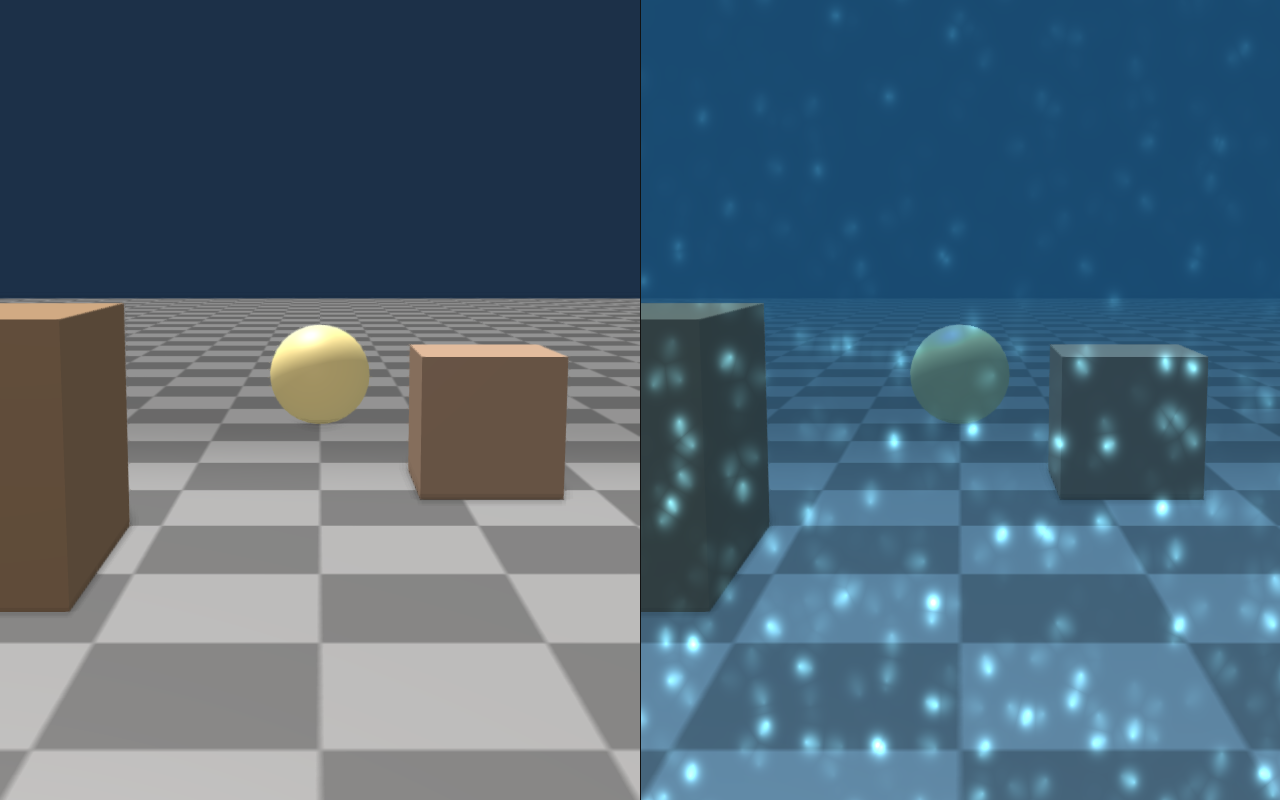
Heat haze (heatHazeEnabled) perturbs UVs with a sinusoidal ripple below
heatHazeMaxY (a screen-UV height, 0 = bottom), fading out toward that line
so the sky above stays sharp, simulating hot-air shimmer. Underwater
(underwaterEnabled, underwaterTint, underwaterCausticStrength,
underwaterCausticScale, underwaterDepthExtinction) tints the image,
adds animated caustic patterns, and attenuates by depth.
auto q = viewer.getRenderQualitySettings();

// Directional motion blur — typical "running camera" look.
q.motionBlurEnabled = true;
q.motionBlurDirection = glm::vec2(0.18f, 0.0f);  // horizontal pan, screen UV
q.motionBlurStrength = 1.0f;

// Hot tarmac shimmer in the lower 60 % of the frame.
q.heatHazeEnabled = true;
q.heatHazeStrength = 0.30f;
q.heatHazeFrequency = 5.0f;
q.heatHazeSpeed = 1.2f;
q.heatHazeMaxY = 0.60f;

// Underwater scene.
q.underwaterEnabled = true;
q.underwaterTint = glm::vec3(0.20f, 0.55f, 0.85f);
q.underwaterCausticStrength = 0.6f;
q.underwaterCausticScale = 1.0f;
q.underwaterDepthExtinction = 1.2f;

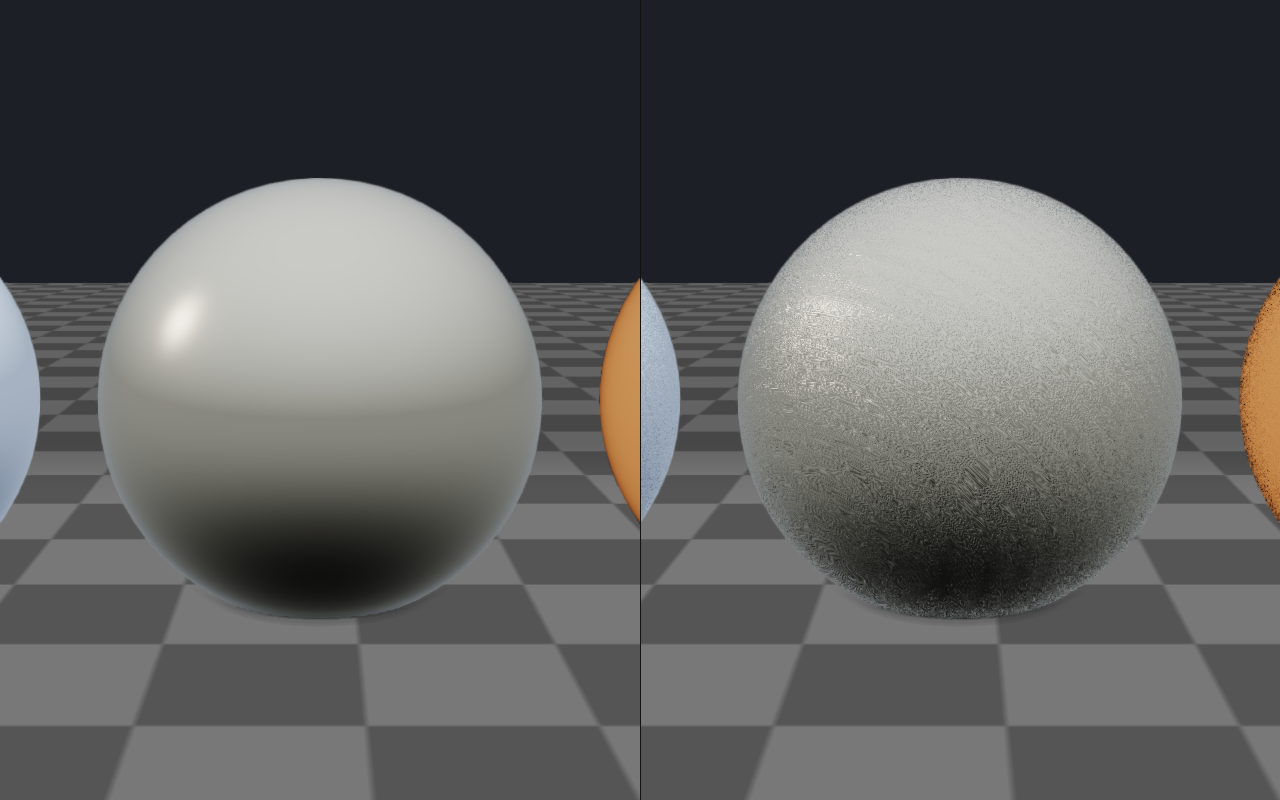
// High-frequency detail normals on every PBR surface.
q.detailNormalEnabled = true;
q.detailNormalScale = 30.0f;    // cycles per metre
q.detailNormalStrength = 0.18f;

viewer.setRenderQualitySettings(q);
Motion blur |
Heat haze |
|---|---|
|
|
Underwater |
Detail normals |
|
|
Stylized and diagnostic looks
The stylized post-process effects on RenderQualitySettings are useful for
authoring previews and for inspection of specific buffers without leaving the
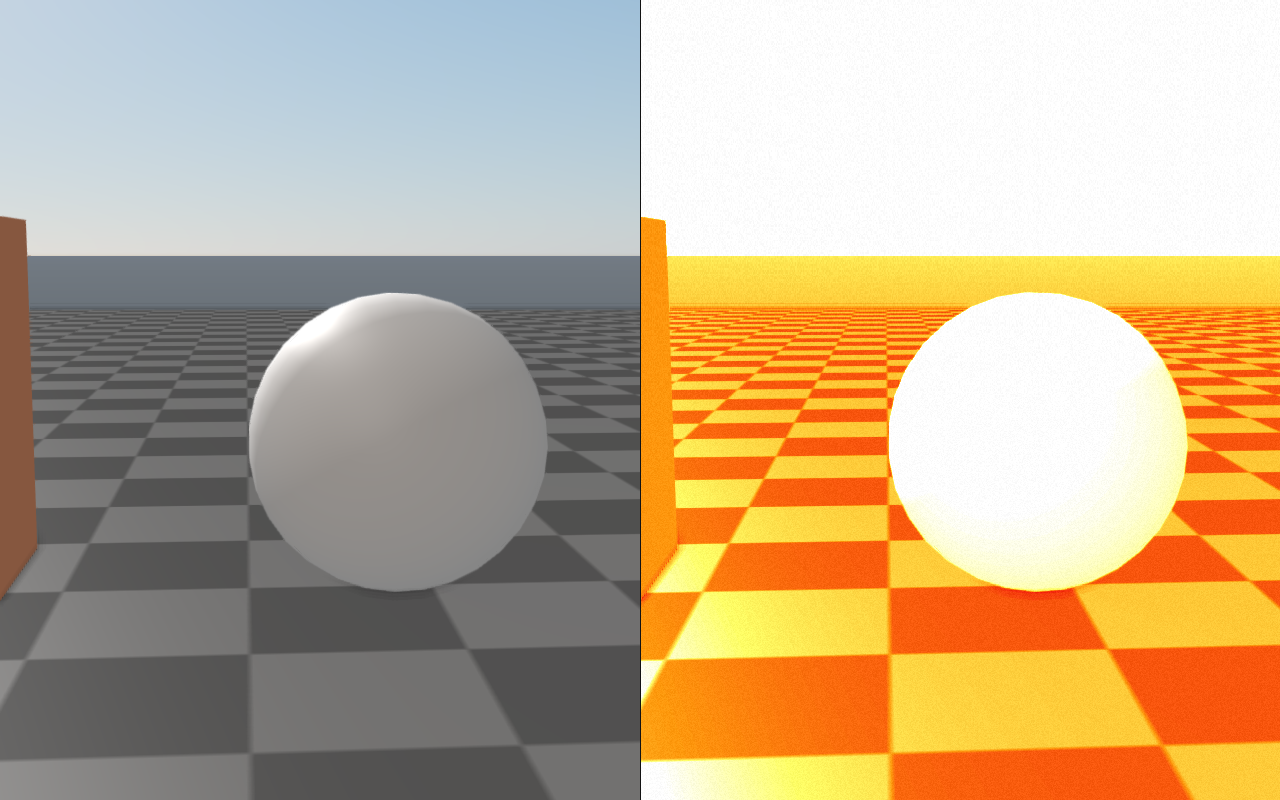
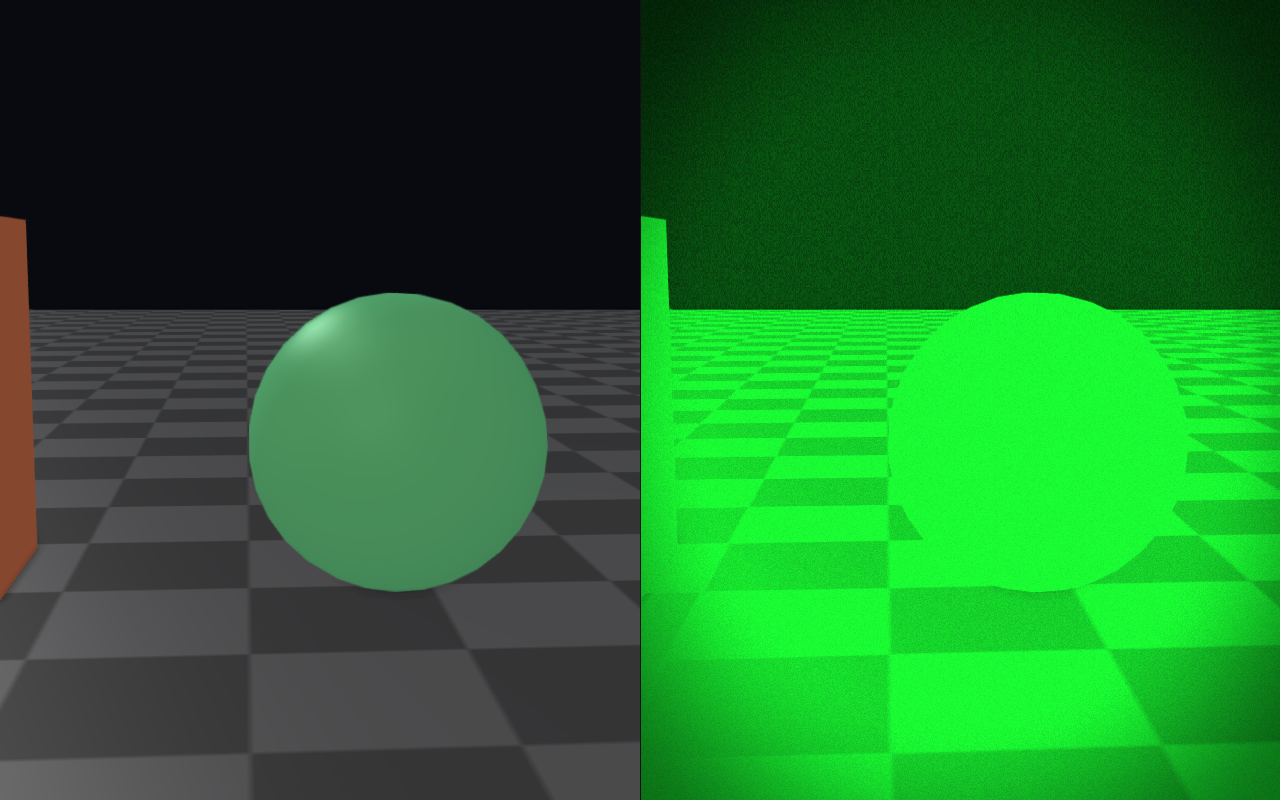
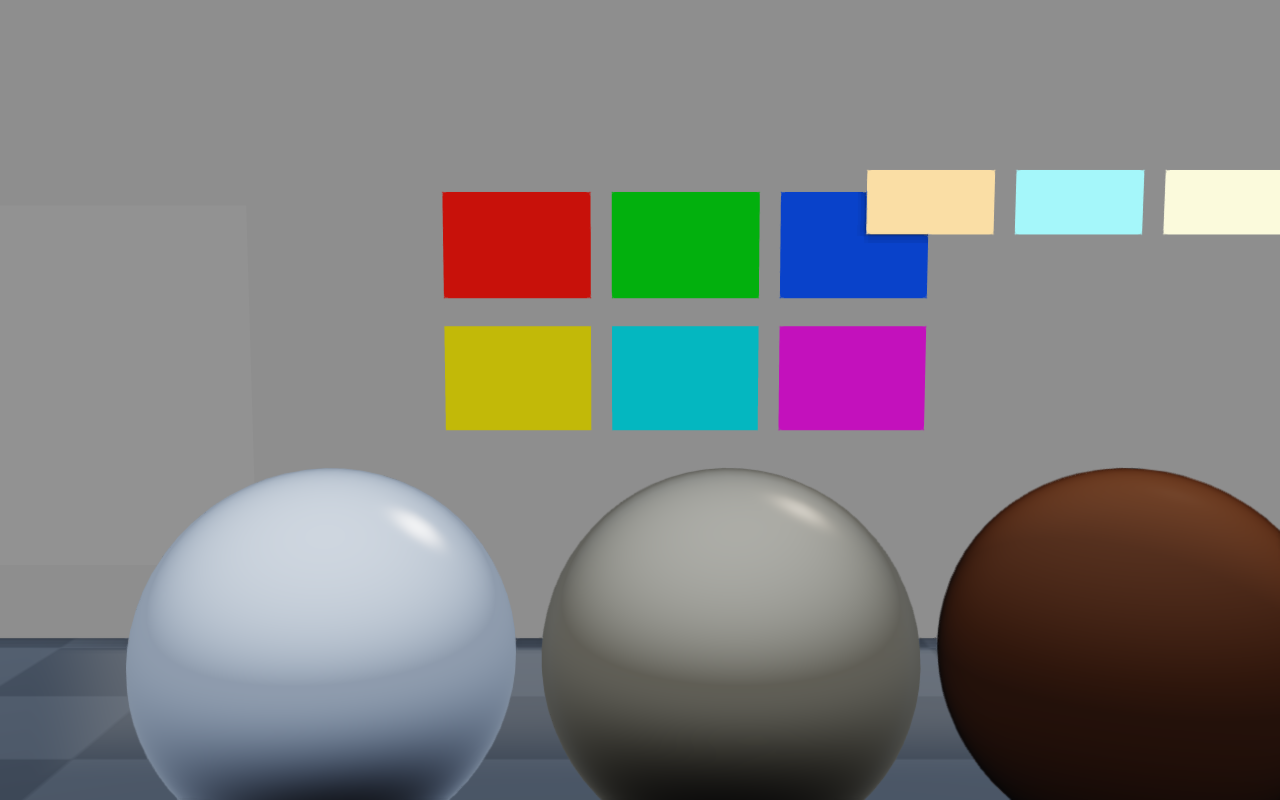
normal render path. Thermal and night vision are typical operator-camera
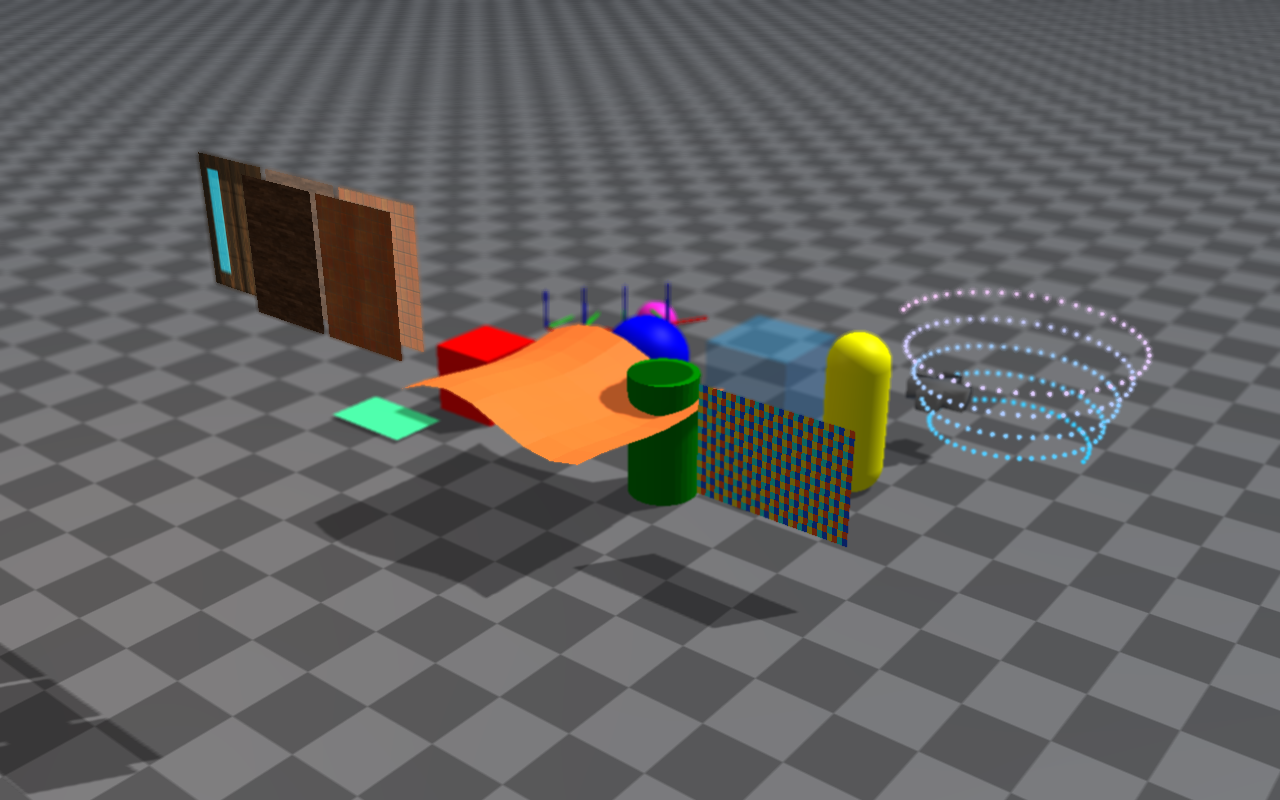
looks; the calibration reference is intended to drive
analyzeRgbaCalibrationPatches for capture-pipeline tuning.
auto q = viewer.getRenderQualitySettings();

// Thermal LUT (monochrome heat-map).
q.thermalEnabled = true;
q.thermalStrength = 1.0f;
q.thermalGain = 1.5f;

// Night vision (green amplification with noise).
q.nightVisionEnabled = true;
q.nightVisionStrength = 1.0f;
q.nightVisionGain = 2.5f;

// CRT scanlines + posterize + lens distortion for an arcade look.
q.scanlineEnabled = true;
q.scanlineStrength = 0.35f;
q.scanlineFrequency = 480.0f;
q.posterizeEnabled = true;
q.posterizeLevels = 6;
q.lensDistortionEnabled = true;
q.lensDistortionStrength = -0.12f;  // pincushion

viewer.setRenderQualitySettings(q);

// Pick one debug pass at a time for inspection.
auto debug = viewer.getRenderQualitySettings();
debug.postProcessDebugMode = raisin::PostProcessDebugMode::DepthHeatmap;
viewer.setRenderQualitySettings(debug);
Thermal |
Night vision |
|---|---|
|
|
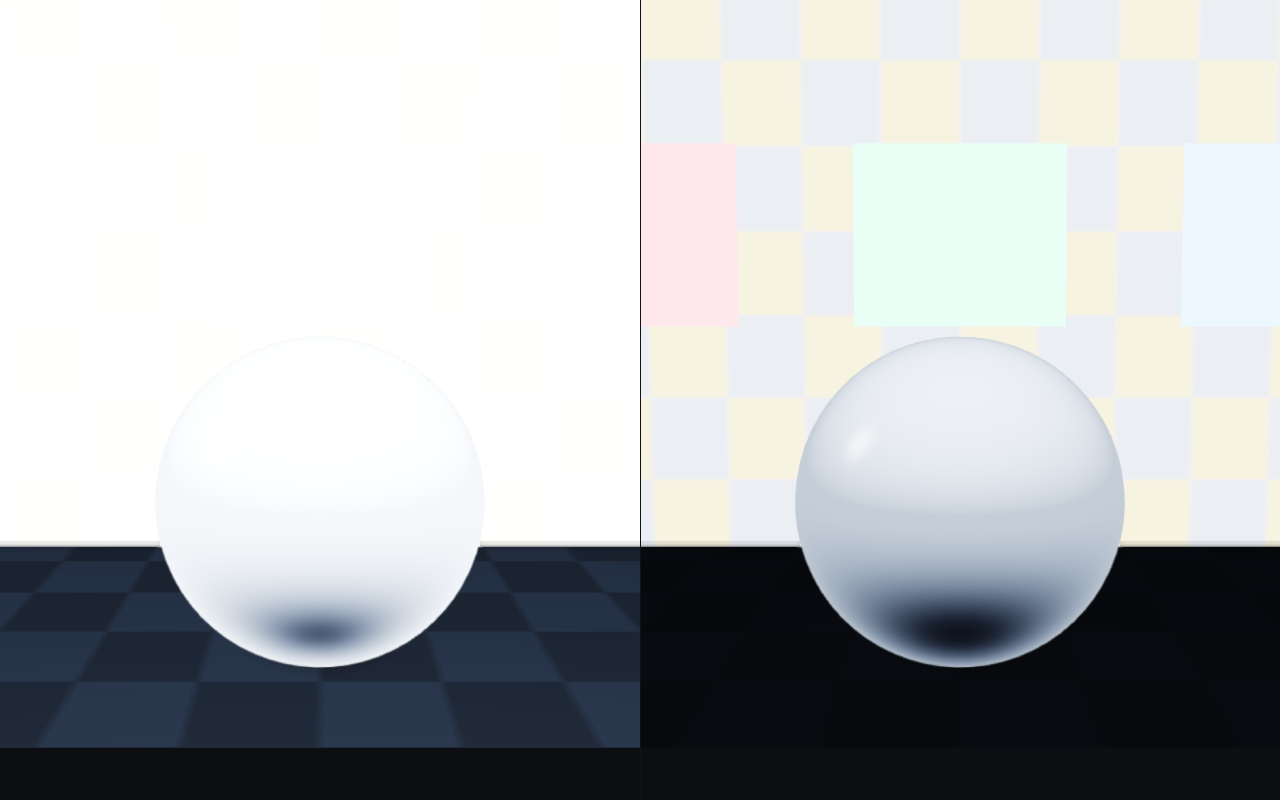
Auto exposure |
Calibration reference |
|
|
Linear HDR rendering
By default each material shader applies exposure, the tone curve, and gamma
before writing the scene buffer, so MSAA resolve, fog, bloom, and depth of
field work on display-encoded colour.
RayraiWindow::setLinearHdrRenderingEnabled(true) keeps scene radiance
linear until the final post pass, which then applies pbrExposure (times
the auto-exposure factor), the colorMode curve when pbrToneMapping is
set, and gamma once. It is a renderer toggle, not a
RenderQualitySettings field, so presets do not change it.
viewer.setLinearHdrRenderingEnabled(true);
auto q = viewer.getRenderQualitySettings();
q.bloomEnabled = true;
q.bloomThreshold = 1.3f;   // scene-linear radiance in this mode
q.bloomKnee = 0.5f;
q.bloomStrength = 0.045f;
viewer.setRenderQualitySettings(q);
Bright highlights keep their energy through MSAA and bloom, FXAA picks edges
on perceptual luminance, and white balance, saturation, and colour grading run
on linear colour before the tone curve. The sky background keeps its own
exposure and goes through the same tone curve. Bloom thresholds tuned for the
default pipeline need to be raised. Frames rendered with a
RAYRAI_PBR_DEBUG_OUTPUT view keep the previous output, and
Capture, diagnostics, and headless rendering describes how the mode affects captures and RGB sensor images.
Changing the exposure, tone curve, or gamma resets the legacy temporal-AA
history, which also happens while auto exposure adapts; the reprojected method
keeps its scene-linear history.
Temporal anti-aliasing
temporalAaEnabled turns temporal AA on, and temporalAaMethod selects
the algorithm:
TemporalAaMethod::Legacy(the default) blends each frame with the previous display-encoded result, sampled at the same screen position and clamped to the current pixel neighbourhood;temporalAaBlend(default 0.08, at most 0.95) is the history weight. There are no motion vectors, so moving content relies on that clamp. Ultra uses this method withtemporalAaJitterScale = 0. Keep the jitter at zero here: the legacy resolve does not compensate for it, so a non-zero jitter (the struct default is 1) shifts static images every frame.TemporalAaMethod::Reprojectedaccumulates jittered scene-linear colour and reprojects it with the camera motion and foliage wind, with depth rejection and variance clipping.temporalAaCurrentWeight(0.02–1, default 0.1) is the weight of the new frame, andtemporalAaSharpness(0–1, default 0.3) sharpens the output only.setRenderQualitySettingsthrowsstd::invalid_argumentfor values outside these ranges, and forcesviewerMsaaSamplesto 1 while this method is on. It always uses the Linear HDR rendering output path, and an external render with a custompostshader throwsstd::invalid_argumentunless itsRenderOverrides::allowTemporalAais false.
RenderOverrides::allowTemporalAa turns temporal AA off for an individual
external render.
Platform notes
On macOS, and on other GPUs that expose 16 or fewer fragment texture units,
rayrai uses a reduced post-process program (see the GPU capability tiers in
PBR materials). FXAA, additive bloom, SSAO and contact AO with denoising,
temporal AA, depth of field, white balance, saturation, and linear HDR output
work. The rest of this page is not rendered there: colour grading, vignette,
chromatic aberration, film grain, lens flare, starburst, lens distortion,
letterbox, motion and zoom blur, SSR, SSIL, contact shadows, aerial
perspective, volumetric fog and lighting, light shafts, local fog volumes,
projected decals, heat haze, underwater, the stylized looks, non-Additive
bloom blend modes, and every postProcessDebugMode except Final. Lens
droplets and precipitation are separate passes and still render.
Every other GPU runs the full program. With 32 fragment texture units, which the NVIDIA, AMD and Intel OpenGL drivers report, a frame can use 25 projected-decal maps instead of 32 (see Lighting, shadows, and HDR/IBL).