
Rayrai Example: RGB Camera
Overview
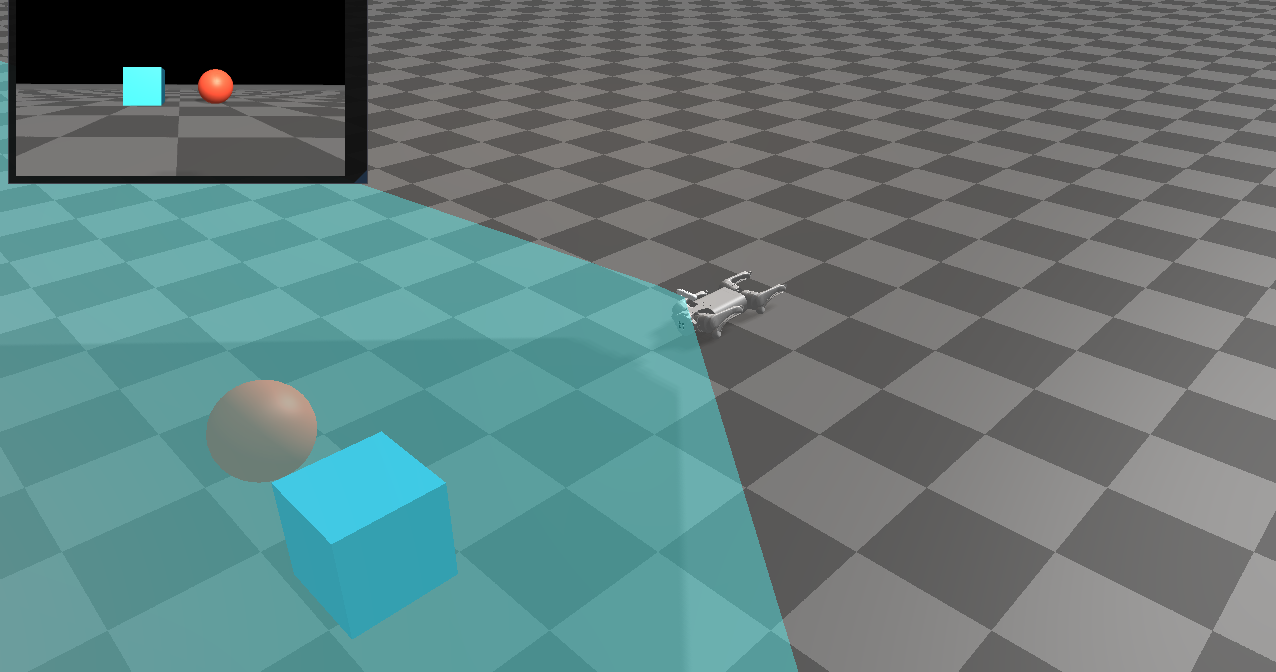
Renders the Go1 RGB camera into an ImGui window and draws the camera frustum in the scene. It demonstrates the RGB sensor rendering path and UI texture display.
Screenshot
Target
CMake target: rayrai_rgb_camera.
Run
Run the build-tree executable:
bash
./build-examples/examples/rayrai_rgb_cameraOn Windows, run rayrai_rgb_camera.exe instead. This example renders in process with rayrai and does not need rayrai_tcp_viewer.
Details
- Loads Go1 with the D455 module and fetches the RGB camera.
- Renders the RGB frame with an external camera and shows it in ImGui.
- Adds a camera frustum overlay for debugging intrinsics.