Server Example: Mesh Stack
Overview
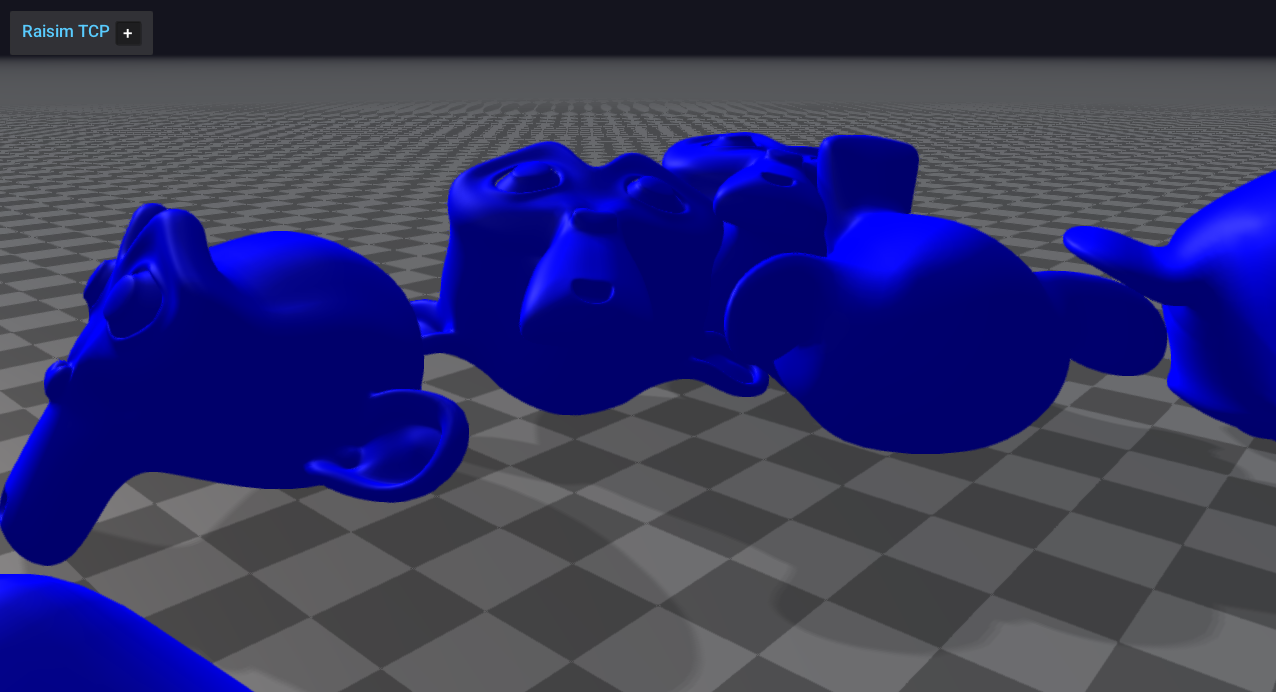
Loads a mesh (the monkey OBJ) multiple times and stacks them in a grid. This demonstrates mesh loading, placement, and appearance settings.
Screenshot
Binary
CMake target and executable name: mesh_stack.
Run
Build and run from your build directory:
cmake --build . --target mesh_stack
./mesh_stack
On Windows, run mesh_stack.exe instead.
This example uses RaisimServer. Start a visualizer client (RaisimUnity, RaisimUnreal, or the rayrai TCP viewer) and connect to port 8080.
Details
Loads a mesh (monkey.obj) and stacks it in a 3x3 grid.
Adjusts ERP and timestep for stable stacking.
Positions the camera for a clear view of the pile.
Source
// This file is part of RaiSim. You must obtain a valid license from RaiSim Tech
// Inc. prior to usage.
#include "raisim/World.hpp"
#include "rayrai_tcp_viewer_hint.hpp"
#include "raisim/RaisimServer.hpp"
int main(int argc, char* argv[]) {
auto binaryPath = raisim::Path::setFromArgv(argv[0]);
/// create raisim world
raisim::World world;
world.setTimeStep(0.003);
world.setERP(world.getTimeStep(), world.getTimeStep());
/// create objects
auto ground = world.addGround();
std::string monkeyFile =
binaryPath.getDirectory() + "\\rsc\\monkey\\monkey.obj";
raisim::Mat<3, 3> inertia;
inertia.setIdentity();
const raisim::Vec<3> com = {0, 0, 0};
int N = 3;
double gap = 1;
for (int row = 0; row < N; row++) {
for (int col = 0; col < N; col++) {
auto monkey = world.addMesh(monkeyFile, 1.0, inertia, com);
monkey->setPosition(-gap * (N / 2) + gap * row,
-gap * (N / 2) + gap * col,
2.0 + gap * (row * N + col));
monkey->setAppearance("blue");
}
}
/// launch raisim server
raisim::RaisimServer server(&world);
server.launchServer();
raisim_examples::warnIfNoClientConnected(server);
server.setCameraPositionAndLookAt({5,0,2}, {0,0,2});
while (1) {
RS_TIMED_LOOP(int(world.getTimeStep()*1e6))
server.integrateWorldThreadSafe();
}
server.killServer();
}