Rayrai Example: Nested Glass
Overview
Traces refraction through a water-filled glass with an enclosed air bubble, an empty hollow cup, a concave amber torus, and two overlapping tinted glass solids. The media have explicit indices of refraction and dielectric priorities, so overlapping interfaces resolve in a defined order. The default backend uses Vulkan hardware ray queries when available and otherwise selects the portable OpenGL tracer. It starts with 10 paths per frame and at most 10 bounces.
Screenshot
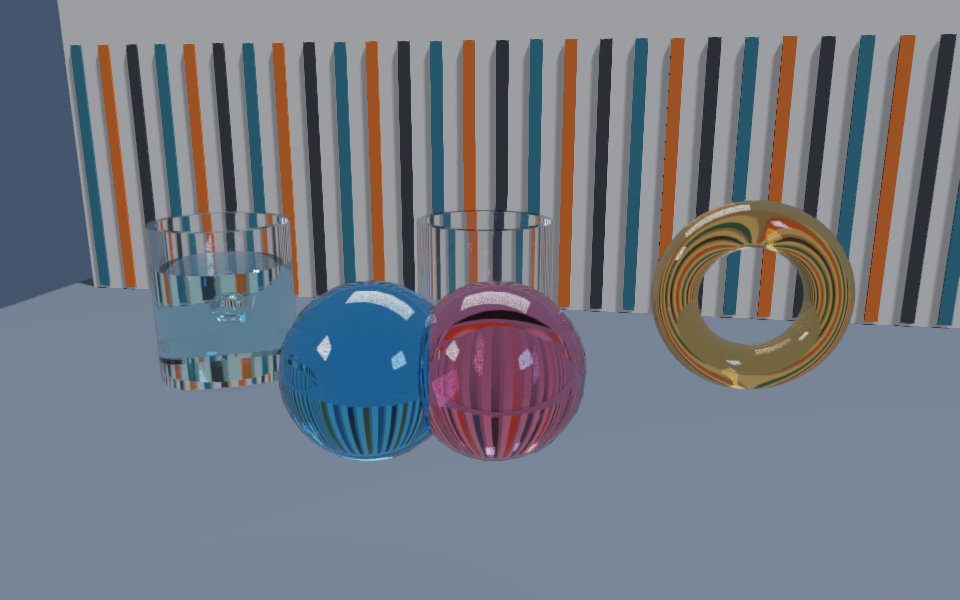
Target
CMake target: rayrai_nested_glass.
Run
Run the build-tree executable:
./build-examples/examples/rayrai_nested_glass
On Windows, run rayrai_nested_glass.exe instead.
This example renders in process with rayrai and does not need rayrai_tcp_viewer.
Drag to look, use WASD and Space to move, and click an object to orbit it. The
Geometry refraction panel controls the backend, samples per frame, and
bounce count.
For a finite PNG capture or a stacked-media stress scene:
./build-examples/examples/rayrai_nested_glass --backend=portable --out=nested_glass.png --frames=24 --warmup=0
./build-examples/examples/rayrai_nested_glass --layers=4
Options
--backend=auto|portable|vulkanselects the tracing backend;vulkanrequires the Vulkan ray-query path.--samples=N(1 to 64) and--bounces=N(1 to 128) set the paths per frame and the bounce limit.--layers=Nbuilds 1 to 16 concentric glass/water boxes;--layers=0returns to the default composition.--out=FILErenders--framesframes (after--warmupframes) in a hidden window, saves a PNG, and exits.--benchmarkruns a finite timing pass instead;--width,--height, and--msaaset the render size and MSAA level.