
Viewer Sliders
A RaisimServer application can put sliders in the rayrai TCP viewer and read them while the simulation runs. Use one for any value you want to change by hand as you watch: the speed of a current, the wind, a controller's gain, a target height.
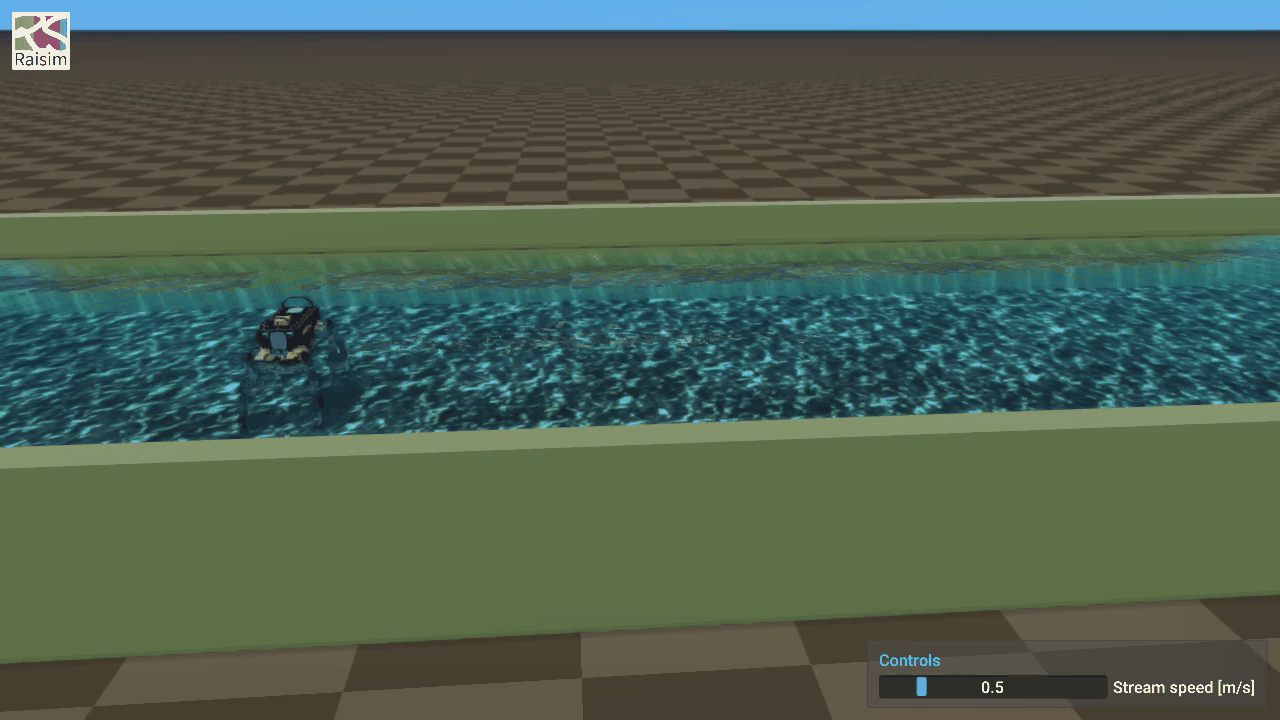
A first slider
This program rolls a light ball across the ground with the wind, and lets you set the wind:
#include "raisim/RaisimServer.hpp"
#include "raisim/World.hpp"

int main() {
  raisim::World world;
  world.setTimeStep(0.002);
  world.addGround();
  auto* ball = world.addSphere(0.3, 0.2);
  ball->setPosition(0.0, 0.0, 0.3);
  raisim::FluidMedium air = raisim::FluidMedium::air();
  world.setAmbientFluid(air);

  raisim::RaisimServer server(&world);
  const size_t wind = server.addSlider("Wind [m/s]", -5.0, 5.0, 0.0);
  server.launchServer(8080);

  for (;;) {
    RS_TIMED_LOOP(2000)
    const double speed = server.getSlider(wind);
    server.integrateWorldThreadSafe([&] {
      if (air.velocity[0] == speed) return;
      air.velocity = {speed, 0.0, 0.0};
      world.setAmbientFluid(air);
    });
  }
}
Run it, start rayrai_tcp_viewer, and connect. A Controls window with one slider, Wind [m/s], appears at the lower right of the view. Drag the slider to 2 and the ball rolls off along x, about 2 m in its first 3 s; drag it below zero and the wind pushes it back.
Three calls do the work:
addSlider(name, min, max, value)adds a slider labelledname, frommintomax, starting atvalue, and returns its index: 0 for the first, 1 for the next, and so on.getSlider(index)returns the slider's value: the last one the viewer's user set, or the starting value until then.integrateWorldThreadSafe(callback)runs the callback while it holds the world's lock and then steps the world. That is where the value goes into the world (see Using a value).
From the viewer to your program
- The server sends its sliders to the viewer when the viewer connects, and again whenever they change.
- You drag a slider. The viewer sends the new value with its next scene update, usually within a frame or two.
- The server keeps the value within
[min, max], andgetSlider()returns it from then on. - The value stays on the server. A viewer that disconnects and connects again shows the values the program holds, and with no viewer connected the program keeps the last one set.
getSlider() takes a lock of the sliders' own, not the world's. Call it from any thread, as often as you like: it costs about as much as locking a mutex.
Using a value
The server's network thread reads the world while your program steps it, so change the world only while you hold the world's lock. The callback of integrateWorldThreadSafe() is the place:
Read the slider outside the callback, change the world inside it.
getSlider()needs no world lock.Do not step the world in the callback.
integrateWorldThreadSafe()steps the world right after the callback, once per call. A callback that also callsworld.integrate()steps the world twice a call, and keeps it running while the viewer pauses it.Set a state on any call; add forces once a step. The callback runs on every call, also while the viewer pauses the simulation and no step follows. Setting a velocity, a gain or a target is safe. Forces from
setExternalForce()add up until the next step, so a force added on every call piles up during a pause and strikes the body all at once when it resumes. Add them once for each world time instead; they wait for the step, as the underwater ROV example's thrusters do:cppdouble staged = -1.0; // the world time the forces were last added at for (;;) { RS_TIMED_LOOP(2000) const double force = server.getSlider(push); server.integrateWorldThreadSafe([&] { if (world.getWorldTime() == staged) return; staged = world.getWorldTime(); box->setExternalForce(0, {force, 0.0, 0.0}); }); }A slider moved during the pause changes the force from the second step after the pause. Do not use
server.isSimulationPaused()to decide: a single step from the viewer's step buttons runs while the server stays paused.Count time in world time. A timer or a controller's integral that advances by a time step per call runs on during a pause. Take the time from
world.getWorldTime(), or act once for each world time as above.Change the world only when the value changes, if the change costs something.
setAmbientFluid()wakes every sleeping body, so the program above sets the wind only when the slider has moved.
A scene that does its own bookkeeping can keep it in an update() that does not step, called from the callback, as the fluid stream example does:
const double speed = server.getSlider(streamSpeed);
server.integrateWorldThreadSafe([&] { scene.update(speed); });
Several sliders
Each addSlider() adds one more, in order, to the same window. A server holds up to 64. You may add sliders before or after launchServer(); a connected viewer shows a new one with its next update.
const size_t kp = server.addSlider("Kp", 0.0, 400.0, 200.0);
const size_t kd = server.addSlider("Kd", 0.0, 20.0, 5.0);
const size_t height = server.addSlider("Base height [m]", 0.3, 0.6, 0.54);
addSlider() stops with an error for an empty name or one longer than 256 bytes, a min, max or starting value that is not finite, a min not below max, or a 65th slider; getSlider() stops with one for an index addSlider() did not return. A starting value outside the range is moved into it.
In the viewer
- The Controls window sits at the lower right of the view, one slider per line, labelled by its name.
- Drag a slider to change its value, or Ctrl+click it and type a number. A typed number outside the range is clamped to it.
- While you hold a slider, the server's replies do not move it. When you let go, it shows the value the server kept.
- With split panes, each pane shows the sliders of the server it is connected to.
- The window is hidden while the pane is disconnected, and when it replays a recorded session.
Viewers too old to know sliders do not show the window; the program then keeps the starting values.
Python
raisimPy has the same calls. Python's integrateWorldThreadSafe() takes no callback, so hold the lock around the change with lockVisualizationServerMutex():
import time

import numpy as np
import raisimpy as raisim

world = raisim.World()
world.setTimeStep(0.002)
world.addGround()
ball = world.addSphere(0.3, 0.2)
ball.setPosition(np.array([0.0, 0.0, 0.3]))
air = raisim.FluidMedium.air()
world.setAmbientFluid(air)

server = raisim.RaisimServer(world)
wind = server.addSlider("Wind [m/s]", -5.0, 5.0, 0.0)
server.launchServer(8080)

while True:
    speed = server.getSlider(wind)
    if air.velocity[0] != speed:
        air.velocity = np.array([speed, 0.0, 0.0])
        server.lockVisualizationServerMutex()
        world.setAmbientFluid(air)
        server.unlockVisualizationServerMutex()
    server.integrateWorldThreadSafe()
    time.sleep(world.getTimeStep())
On the wire
For a client of your own (see RaiSim Server for the protocol):
- The feature is bit 8 of the handshake,
PROTOCOL_FEATURE_CONTROLS. SET_CONTROLS(server request 8) carries every slider: anint32count, then for each its name (anint32length and the bytes), andmin,maxandvalueasdoubles. A reply carries it when the sliders differ from those the client last received: in the first reply after connecting, and after a slider is added or its value changes.CR_SET_CONTROL(client request 300) sets one: anint32slider index and adoublevalue. The server clamps the value to the slider's range. An index out of range or a value that is not finite makes the server reject the whole frame and close the connection.- When the server clamps a value to the one it already holds, nothing changes, and no
SET_CONTROLSfollows. A client that shows the value should show the server's own after its request has been answered, as the TCP viewer does.
Examples
- Fluid stream: a slider sets the speed of a stream carrying crates, logs and beach balls past a post.
- Fluid stream with ANYmal: the same slider, against a standing ANYmal.