
Server Example: Runtime Joints
Attach and release a tool, or dock two independently loaded robot mechanisms, while the simulation is running. Both scenes use World::addRuntimeJoint() and World::removeRuntimeJoint(); the joint is solved together with the rest of the world's constraints. See Runtime joints for all four joint types, frames, breaking thresholds, and Python bindings.
Tool attachment and release
The blue wrist follows a prescribed horizontal motion. A fixed runtime joint holds the orange, 1 kg tool below it, preserving their relative position and orientation. After two simulated seconds, the example removes the joint: the tool keeps its velocity, falls under gravity, and lands on the ground while the wrist returns. The scene restarts every four simulated seconds.
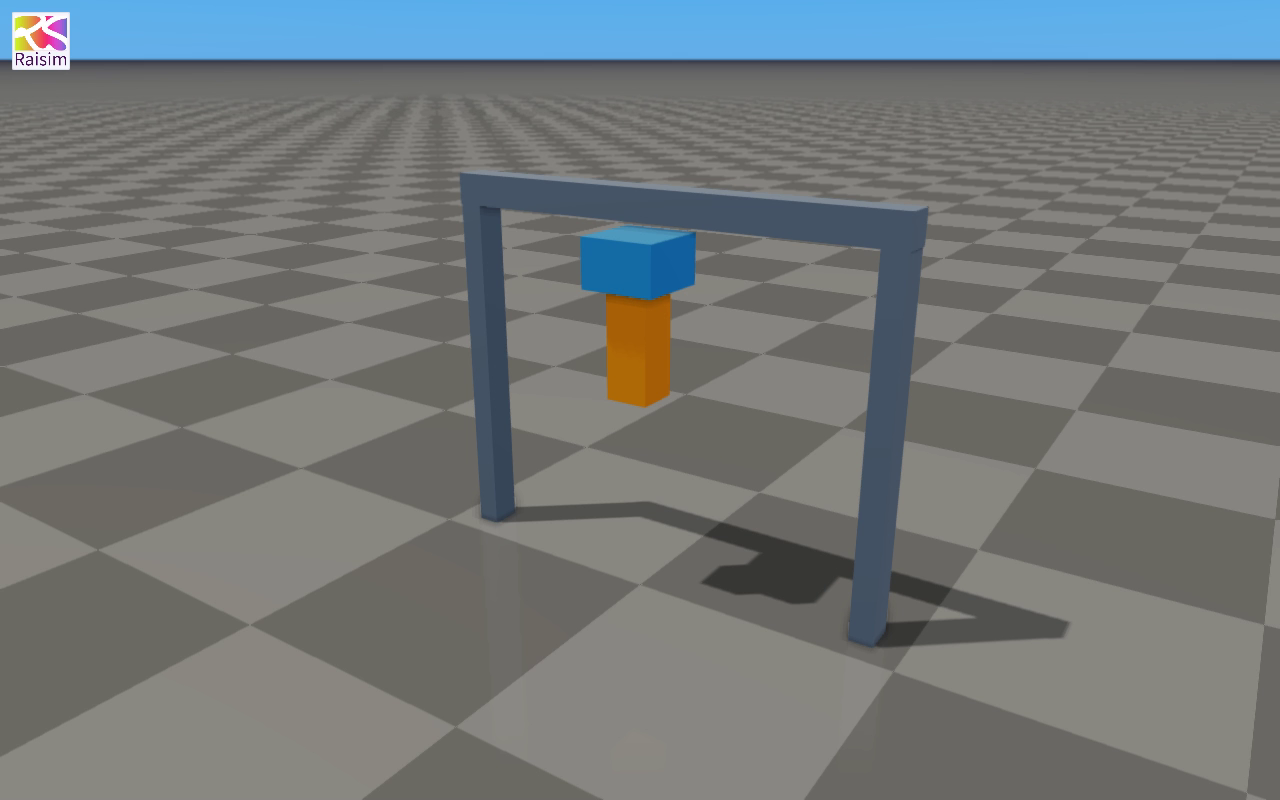
The screenshots and clips on this page are recorded from the example's simulated objects through rayrai_tcp_viewer.
Attachment frames and support load
Each attachment is expressed in its own body's frame. Here both local orientations are identity: the wrist's bottom and the tool's top meet at the same world point. The fixed joint constrains all six relative directions.

using Joint = raisim::RuntimeJoint;
auto* mount = world.addRuntimeJoint("tool_mount", Joint::Type::Fixed,
    {wrist, 0, {0., 0., -0.09}},
    {tool, 0, {0., 0., 0.20}});

world.integrate();
const auto supportForce = mount->getForce();
world.removeRuntimeJoint(mount);
getForce() reports the force on attachment A, the wrist. While it supports the tool at constant horizontal speed, its vertical component is -9.81 N; the opposite force acts upward on the tool. The wrist is kinematic and receives no velocity change from that reaction. After removal, discard the joint pointer.
Docking two independent robots
The second scene creates two separate articulated systems, each with a fixed base and a 1 kg carriage on a prismatic joint. The orange carriage is driven with 0.35 N; the blue carriage has no commanded force. A fixed runtime joint connects their docking tabs, so they accelerate together at 0.175 m/s².
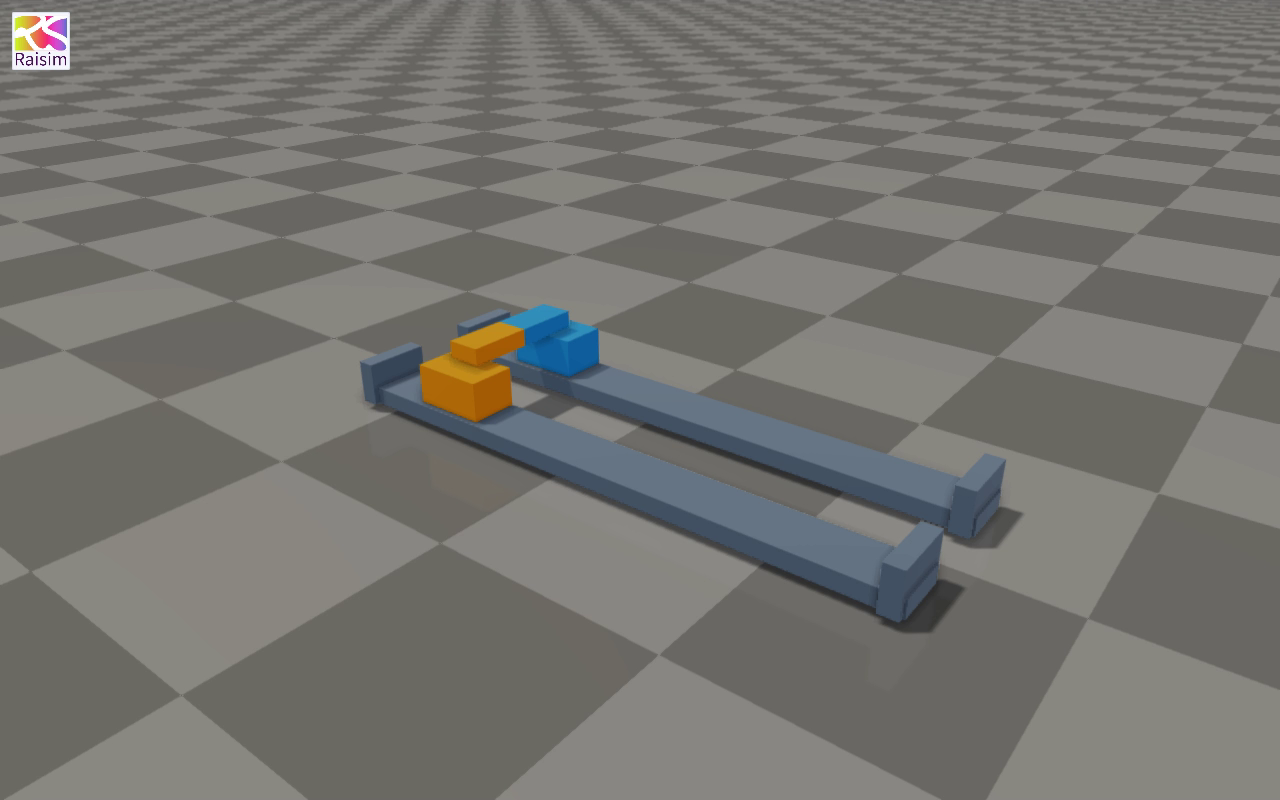
At two simulated seconds the dock is removed. The orange carriage continues accelerating under its commanded force, while the blue carriage coasts. Their increasing separation demonstrates that they are independent systems again. The headless run checks a -0.175 N dock reaction on the driven robot before release and a 0.7 m/s velocity difference two seconds afterward.
The companion Python example, raisimPy/examples/runtimeJoints.py, exercises the same attach–transfer–release workflow without a viewer.
Build and run
CMake target: runtime_joints. From the raisim2Lib checkout after configuring the examples:
cmake --build build-examples --target runtime_joints rayrai_tcp_viewer --parallel 12Start the viewer, then start either scene in another terminal:
# Terminal 1
./build-examples/examples/rayrai_tcp_viewer --auto-frame

# Terminal 2: tool attachment and release
./build-examples/examples/runtime_joints --visualize

# Or: docking two independent robot carriages
./build-examples/examples/runtime_joints --visualize --scene docking
The example serves the world by default, so it can also be launched from the viewer's example chooser. Connect to the port printed by the example, normally 8080. The viewer's pause and single-step controls work with the scripted simulation. Deleting a wrist, tool, or robot endpoint in the viewer stops the example. Stop the process to close the repeating demo.
On Windows, run the corresponding .exe files under build-examples/bin. RaiSim uses its standard activation-key lookup; pass --activation-key FILE to select a key explicitly. This example uses only primitive geometry and needs no external 3D assets.
Run the physics checks without a viewer
Use --headless to run one four-second cycle, check its result, print the reaction load and release result, and exit:
./build-examples/examples/runtime_joints --headless
./build-examples/examples/runtime_joints --headless --scene docking
The engine test build registers these as testRuntimeJointExample and testRuntimeJointDockingExample.
Re-record the figures and videos
With the example and viewer built, the repository's media generator records both scenes and extracts the figures:
CC=clang-20 python3 docs/image_generators/runtime_joint_media.py \
  --build build-examples/examples
It uses the same offscreen capture and H.264 encoding as the examples gallery. The tool clip also appears under Mechanisms in the Examples gallery.