
Server Example: Articulated Join
Join objects into articulated systems while the simulation runs, and take them apart again. The scene has three stations that repeat every six simulated seconds. Each uses World::joinObjects() or World::detachJoint() in a different way. See Joining objects for the rules, what a joined system keeps, and the Python API.
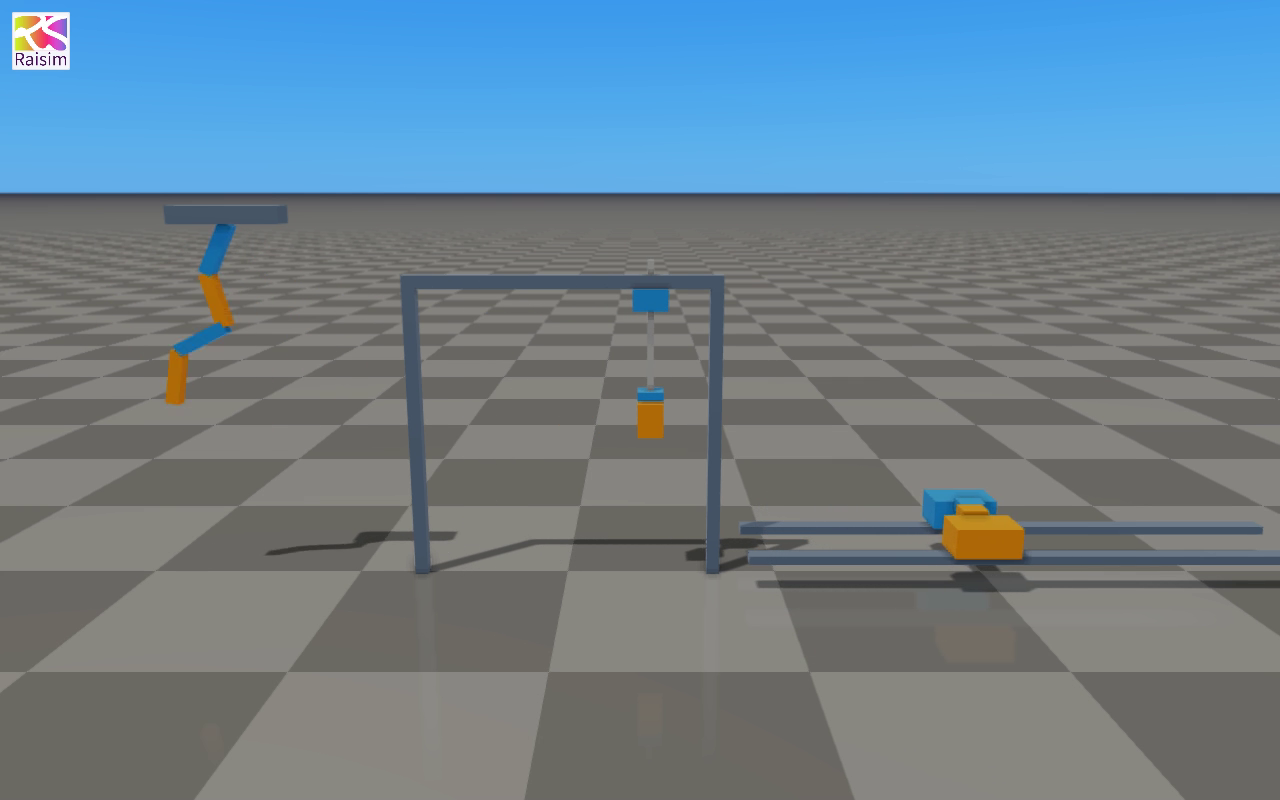
The clip is recorded from the example's simulated objects through rayrai_tcp_viewer.
A chain built from boxes
A static beam and four moving boxes become one swinging chain. The first call joins the beam and a box with a hinge; because the beam is static, the new system has a fixed base. Each later call joins the next box to the system made by the previous one:
system = world.joinObjects(system, system->getBodyIdx("link1"), link2, 0, hinge);The boxes start with different horizontal velocities. Each join conserves momentum, so the chain swings with the motion the boxes had, minus what the hinges remove. The joints are part of the system's generalized coordinates, so the links never separate.
Picking up and releasing a tool
The gantry is an articulated system with two prismatic joints. It lowers its hook onto the orange box and joins it with a fixed joint at the box's top face:
gantry = world.joinObjects(gantry, gantry->getBodyIdx("hook"), tool, 0,
                           fixedJoint("tool_mount", gripPointInHookFrame));
The tool's mass and inertia become part of the hook body, and the PD controller of the gantry keeps its gains and targets. The gantry lifts the tool, carries it 0.8 m and releases it:
auto parts = world.detachJoint(gantry, "tool_mount");
gantry = parts[0];  // the gantry, with its own mass again
tool = parts[1];    // the tool, a one-body floating system
The released tool keeps the velocity it had on the hook and falls to the ground. Its link frame is now the tool_mount frame at its top face, so the example tracks its centre of mass.
Docking two robots
Each carriage is a separate fixed-base robot on its own rail. Both are fixed to the world, so joining their carriages closes a loop. getLoopJointNames() returns {"dock"}: the dock is enforced as a loop-closure constraint, and the system keeps one coordinate per carriage. A 0.3 N force on the orange carriage accelerates both. After three seconds the dock is detached; the orange carriage is pushed back while the blue one coasts on. JoinOptions::childPrefix names the blue carriage's links and joints passive/..., because both robots use the same names.
Build and run
CMake target: articulated_join. From the raisim2Lib checkout after configuring the examples:
cmake --build build-examples --target articulated_join rayrai_tcp_viewer --parallel 12Start the viewer, then the example in another terminal:
# Terminal 1
./build-examples/examples/rayrai_tcp_viewer --auto-frame

# Terminal 2
./build-examples/examples/articulated_join
Connect to the port the example prints, normally 8080. On Windows, run the corresponding .exe files under build-examples/bin. The example uses only primitive geometry.
The engine test testArticulatedJoinExample steps one six-second cycle of the stations without a viewer and checks that the chain swings, that the gantry carries the tool 0.8 m and releases it onto the ground, and that the carriages move together while docked and apart afterwards. raisimPy/examples/articulatedJoin.py runs the gantry and docking stations from Python; testPythonArticulatedJoin checks it.